HTTP3 - the next big challenge for web scraping
July 08, 2026
Anti-bot, Proxies, HTTP/3
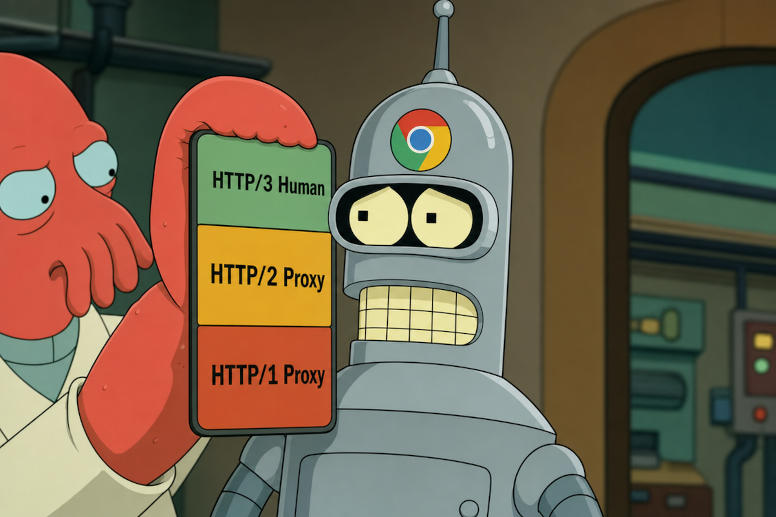
Practically all modern browsers support HTTP/3, and all of the biggest CDN providers have enabled HTTP/3 support as of 2022. However, only 34.7% of top 1000 websites (CloudFlare’s top domains 2026-05 list manually verified) support HTTP/3, but website support is growing year by year. Even though HTTP/3 over QUIC is a fundamental web content delivery change, the adoption is meaningful, and HTTP/3 is propagating everywhere.
Proxies are a major part of web scraping as they allow for more anonymity, privacy and access to sites that may be protected in various ways like geo-blocking and client fingerprinting. The biggest proxy vendors support proxying web traffic via HTTP or (sometimes) SOCKS5 proxies, but this support is largely limited to TCP, while HTTP/3 over QUIC is delivered over UDP. Some SOCKS5 proxies might support HTTP/3 by allowing proxying of UDP traffic, but since browsers do not support the configuration of UDP proxies, there is no easy way to proxy HTTP/3 traffic.
Why this matters?
Modern web scraping increasingly relies on real browser behaviour. Bot-detection techniques are becoming more sophisticated and are looking at more than just IP addresses and user agents, so the transport layer and the ability to use HTTP/3 for web requests is fast becoming a critical factor for successfully scraping data from modern websites.
If you are using Chrome (or any modern browser) and configure a proxy for it, the delivery will always happen over HTTP/2 (even over a SOCKS5 proxy) and never over HTTP/3. According to HTTP protocol adoption and market share (as reported by Cloudflare Radar), around 30% of global web traffic is using HTTP/3, while only around 2% of “likely bot” labelled traffic is using HTTP/3.
Furthermore, TCP-based proxies (non-HTTP/3) expose more network-level information that can be used to identify the underlying client network stack and environment, therefore allowing for easier client fingerprinting. This in turn allows bot-detection networks to tighten access controls. Using HTTP/3 proxies reduces the visible detection surface.
The problem…..
If you are looking to use HTTP/3 to increase your chances of content being served to you, you only have a few choices:
- No proxy. Use your own ISP connection and be exposed.
- Wait for “UDP over HTTP proxy” to be implemented and adopted (RFC 9298)
- Wait for Chrome to support configuration of UDP-capable SOCKS5 proxy
- Do a complicated custom VPN-like setup to do the proxying outside the browser layer
HTTP/3 at Web Scraper
Web Scraper Cloud platform now supports HTTP/3 over QUIC in proxied web requests.
As the HTTP/3 protocol continues to gain traction across the web, with more sites adopting it for improved performance, efficiency and security, we have done the work to enable this capability for our users.
While using Web Scraper Cloud, you don’t have to worry about HTTP/3 support as we take care of accessing the sites you wish to scrape by automatically choosing the method that will give the best results. As HTTP/3 is being broadly adopted by client software but heavily neglected by programmatic web traffic, it is becoming a surefire way of detecting “likely-bot” traffic and raising guardrails to deny the requests. At the same time, the adopters of HTTP/3 are benefiting from the features of the new protocol:
- Faster page loads
- Lower bandwidth usage
- Better bot-detection preparedness
- and more …..
A "quick" look at HTTP/3 and QUIC
HTTP/3 is the latest version of the HTTP protocol, which is used for communication between web browsers and servers. It is built on top of QUIC (Quick UDP Internet Connections), which is a transport protocol originally developed by Google that uses UDP instead of TCP for faster and more efficient communication. The clearest benefit of UDP over TCP is fewer packet round-trips, which leads to faster page loading times.
HTTP/3 over QUIC can improve the performance of web communication over congested and lossy networks as well as improve connection continuity when the underlying network changes. It also improves multiplexed traffic by eliminating scenarios where a single stream in a connection can slow down or block all other streams.
HTTP/3 also includes TLS encryption by default, built directly into the protocol.
This is not just an HTTP protocol update, but a fundamental change in how web communication works, and it is designed to be more efficient, faster and more secure than previous versions of HTTP.
Introducing proxies makes HTTP/3 difficult
While earlier HTTP protocol versions had a dedicated setting in most client software to enable HTTP (and separately HTTPS) proxying, HTTP/3 does not have a standardised way to enable proxying. This is because HTTP/3 is built on top of QUIC, which uses UDP instead of TCP, and traditional proxying methods are designed for TCP-based protocols. There are requests for this functionality on client software, but it is yet to be implemented.
This means that enabling HTTP/3 proxying requires a different approach, such as using a SOCKS5 proxy on the network level (proxying the entire network traffic), which allows for proxying of UDP traffic, or using even more advanced tunnelling techniques to route HTTP/3 traffic through a proxy server.
Another challenge for HTTP/3 proxying is that the proxy does not serve as a forwarding agent for HTTP requests (with access to HTTP headers and the ability to modify them), but rather a port relay preserving end-to-end encryption built directly into the QUIC protocol. This allows the proxy to serve as an "invisible" middleman at the network layer, rather than as a traditional HTTP intermediary with access to the request. To the target server, the actual app-layer connection would appear direct between the client and the target server, with the request leaving the client and entering the server looking and performing as if there was no proxy in between.
There is also a lack of support for HTTP/3 proxying in proxy provider infrastructure, which has been slow to adopt the necessary changes to support HTTP/3 proxying.
This has made it difficult for users to find reliable and performant HTTP/3-capable proxies for their scraping needs even if they are able to overcome the technical hurdles of the setup.
Why legacy HTTP proxies cannot be used for HTTP/3 traffic
HTTP proxies only handle TCP-based traffic, and SOCKS5 proxies can be used for TCP without UDP support. It will never be HTTP/3, because even when a SOCKS5 proxy would support proxying UDP traffic (via the “UDP associate” command), the browser does not support this, and only TCP can be used in combination with browser native proxies. Since HTTP/3 is built on top of QUIC (which uses UDP), legacy HTTP proxies are not able to carry native HTTP/3 traffic, nor are SOCKS5 proxies.
HTTP proxies may be used to try and connect to an HTTP/3 site, but they will not even attempt a proper HTTP/3 connection and will silently fall back to HTTP/2, which may give the user false confidence that they are using HTTP/3 when they are not. There are as of yet practically no HTTP/3-only sites, which would block users using TCP-based proxying, so the usage of TCP would not be obvious.
HTTP/3 is ready. HTTP/3 proxying is not.
All major web browsers have already implemented support for HTTP/3 (more than 93% of browser clients are covered, according to "Can I Use"), and many websites have started to adopt it as well. For example, Google as the pioneer of the protocol, has enabled HTTP/3 across all of its services already. Many web service providers (CDN and others) are fully compatible. However, HTTP/3 support does not mean HTTP/3 proxying support, and the proxy provider ecosystem has been slow to adopt the necessary changes.
During our testing, we noticed that only 2 out of 7 proxy service providers we had chosen were offering a working HTTP/3 proxying-capable solution. Proxying HTTP/3 traffic requires significant changes to the underlying infrastructure and uses more resources (like connection ports) than traditional HTTP/2 proxying, which may be a barrier for some providers to implement it.
Cloudflare's longer-term traffic data shows the broad shape of adoption clearly: HTTP/3 accounted for around 10% of traffic in 2021 and then slowed down to reach around 22% by mid-year of 2026. In other words, adoption became significant quickly, but broad usage has grown much more slowly since the first big wave of CDN enablement. Website support has continued to rise as well, with W3Techs putting HTTP/3 support at around 39.2% of websites as of mid 2026.
According to Cloudflare Radar, likely-human traffic uses HTTP/3 for around 34% of web traffic, while likely-bot traffic uses HTTP/3 for only around 2%. If we use the Cloudflare Radar data, we can calculate how likely a client falls into the “likely-bot” category based on the HTTP version used.
Odds of a client being a bot based on HTTP version used (1 year ago and today):
The data shows that HTTP/1.1 is dominated by likely-bot traffic and even though the chance of being a bot fell for clients using HTTP/1.1, the numbers indicate that bots are migrating from HTTP/1.1 to HTTP/2, while likely-human traffic for HTTP/1.1 did not grow. The chance of being a bot grew for clients using HTTP/2, further strengthening the idea that bots are migrating to newer HTTP versions. However, the chance of being a bot when using HTTP/3 practically did not change since last year, showing that bots are struggling to adopt the HTTP/3 protocol. Just as HTTP/1.1 traffic is regularly marked as likely-bot traffic today, the same story can be seen developing for HTTP/2, while HTTP/3 remains neglected by bots.
As more sites adopt HTTP/3, we will see HTTP/3 take an even larger share of likely-human web traffic, which will in turn make you look more like a bot when not using HTTP/3. If browsers were to implement support for UDP proxying, it would provide bots with the option to use HTTP/3 without complicated proxying solutions, which might be the reason this is not happening, as real users rarely use proxies and being able to separate bot traffic just by protocol version is a great tool for bot-detection providers.
Why HTTP/3 adoption still lags
One reason usage lags behind capability is how HTTP/3 is discovered. In practice, the HTTP alt-svc header is still the dominant way websites advertise HTTP/3 support, and much of the web relies on it. The problem is that alt-svc is only seen after an initial HTTP/1.1 or HTTP/2 response is already being fetched. HTTP/3 can also be advertised earlier through DNS HTTPS/SVCB records with ALPN hints such as h3, but that path is still unevenly deployed across authoritative DNS, resolvers and client stacks.
Browser strategy matters as well. APNIC's research shows large differences in how often browsers attempt HTTPS DNS lookups for first-connection HTTP/3 discovery: Safari does so in around 93% of cases, Edge around 71%, Firefox around 29%, and Chrome only around 2%. Those choices strongly affect first-connection HTTP/3 rates, because clients that depend mainly on alt-svc often make the first request over older transport and only switch later, while clients that prioritise DNS-based discovery can use HTTP/3 earlier. At the same time, once HTTP/3 capability is actually discovered, the vast majority of browsers do switch: APNIC cites subsequent-use rates of around 88% overall, with some browsers going even higher. In practice, that means the same site can show different HTTP/3 adoption depending on which browser populations dominate the measurement, whether discovery succeeded, and whether the clients are one-time visitors.
Network conditions slow adoption too. UDP port 443 is still blocked in many corporate and governmental environments, DNS support for newer HTTPS/SVCB records is still inconsistent, and a substantial share of non-browser traffic — including scripts, SDKs, other automated clients and API users — still avoids HTTP/3 almost entirely. Together, those factors help explain why HTTP/3 support can be widespread while actual HTTP/3 usage still lags behind, especially outside browser-led human traffic.
This also shows that the capability is being adopted rapidly by clients, web servers and web service providers, but HTTP/3 proxying is still lagging behind. Browsers support HTTP/3 itself, yet still do not expose native HTTP/3 proxy configuration options, and proxy provider infrastructure is also slow to catch up. Together, those two gaps are likely the main bottleneck for wider HTTP/3 proxying adoption on the web.
What we learned from testing HTTP/3 proxying
After having developed the functionality, we ran test scraping jobs using both HTTP/2 and HTTP/3 proxies to various sites across the web. We did this to determine if there is any difference in data availability based on the proxy type.
We found that there was a small (a couple of percentage points) improvement in data availability when using HTTP/3 proxies compared to HTTP/2 proxies. This may be because some bot-detection platforms have started to guard against non-HTTP/3 traffic or serve different content to non-HTTP/3 clients, but at this stage it is still difficult to separate a true HTTP/3 effect from proxy provider quality and configuration.
There was, however, a significant improvement for one of the HTTP/3 proxy providers we tested, doubling the data availability as compared to the HTTP/2 proxy of the same provider, but this is an outlier and may have been caused by misconfiguration by the proxy provider.
Extensive provider testing is still required to determine the exact impact of HTTP/3 proxying on data availability, but the providers offering this functionality are a small subset of all proxy providers. We found some providers advertising their UDP support, while the functionality actually did not work. What is already clear is that provider quality matters a lot, and that support for this functionality is still limited.
Why a DIY approach may turn out to be a complexity trap
While it is technically possible for users to set up their own HTTP/3 proxying solution, this approach can be complex and may not be suitable for everyone. Setting up and maintaining an HTTP/3 proxy requires a good understanding of the underlying protocols and technologies, as well as the ability to troubleshoot and optimise the setup for performance and reliability.
This is not as simple as just enabling another protocol in a proxy server, but rather requires a different approach to proxying and may involve using more advanced techniques such as tunnelling or SOCKS5 proxying on network level.
There are many hurdles to overcome when setting up a DIY HTTP/3 proxying solution, including:
- Finding a reliable and performant proxy vendor that supports HTTP/3 proxying
- Proxying select HTTP/3 traffic while allowing other traffic to bypass the proxy can be complex to set up and maintain. In many DIY setups, the simpler route is to proxy far more traffic than actually needs proxying, which can push unrelated traffic through the proxy.
- DNS consistency becomes part of the problem as well. If the DNS request and the web request do not go through the same proxy path, region-specific DNS answers can point the client at a different location than the one seen by the target server.
- Validation of HTTP/3 proxying success is not straightforward. If the client, the proxy and the server all support HTTP/3, but the proxy setup is not properly configured, the connection may still fall back to HTTP/2 and successfully load, giving false confidence.
- Solution testing and ongoing maintenance and status monitoring create a time-resource overhead that may not be worth the benefits for many users, especially if they are not experienced with network protocols and proxying.
Check your setup on our bot-check site
If you want to check if your setup is properly configured for HTTP/3 proxying, you can use our bot-check site at https://webscraper.io/bot-check/. This site will allow you to test your connection and see if it is using HTTP/3 or if it is being downgraded to HTTP/2.
It should return a successful HTTP/3 connection if you are not using a proxy at all (test with your browser) and if you are using an HTTP/3-capable proxy that is properly configured. If you are using a legacy HTTP proxy or if your HTTP/3 proxy is not properly configured, it will show that you are not using HTTP/3 and may provide some insights into the connection details.
Conclusion
The introduction of HTTP/3-capable proxying for scrapers is a significant step forward because it closes a gap that the rest of the web is already moving past: browsers and websites are increasingly ready for HTTP/3, while proxy support is still lagging behind.
The web is evolving and moving towards HTTP/3, and we are ready for it. Are you?
Sources
- Can I Use — HTTP/3 browser support: https://caniuse.com/http3
- HTTP Toolkit — background discussion of HTTP/3 / QUIC support: https://httptoolkit.com/blog/http3-quic-open-source-support-nowhere/
- W3Techs — HTTP/3 usage among websites: https://w3techs.com/technologies/details/ce-http3
- Cloudflare Radar 2021 Year in Review: https://blog.cloudflare.com/radar-2021-year-in-review/
- Cloudflare Radar 2022 Year in Review: https://blog.cloudflare.com/radar-2022-year-in-review/
- Cloudflare Radar 2023 Year in Review: https://blog.cloudflare.com/radar-2023-year-in-review/
- Cloudflare Radar 2024 Year in Review: https://blog.cloudflare.com/radar-2024-year-in-review/
- Cloudflare Radar 2025 Year in Review: https://blog.cloudflare.com/radar-2025-year-in-review/
- Cloudflare Radar Explorer: https://radar.cloudflare.com/explorer
- Cloudflare — HTTP/3 usage view: https://blog.cloudflare.com/cloudflare-view-http3-usage/
- Cloudflare Radar Explorer view used for the likely-human HTTP/3 chart: https://radar.cloudflare.com/explorer?dataSet=http&groupBy=http_version&filters=botClass%253DLIKELY_HUMAN&dt=52w
- APNIC — Triggering QUIC: https://blog.apnic.net/2025/07/15/triggering-quic/
- Technology Checker — Web traffic statistics: https://technologychecker.io/blog/web-traffic-statistics
- Technology Checker — HTTP protocol adoption: https://technologychecker.io/blog/http-protocol-adoption
- HTTP Archive Almanac 2025 — CDN chapter: https://almanac.httparchive.org/en/2025/cdn
- Cloudflare Radar for top domains by DNS queries – https://radar.cloudflare.com/domains?dateRange=52w
- Cloudflare Radar top domain description – https://blog.cloudflare.com/radar-domain-rankings/