How to automate Web Scraper Cloud with the API
September 15, 2026
Web scraping automation, Web Scraper Cloud, data quality, data pipelines, API
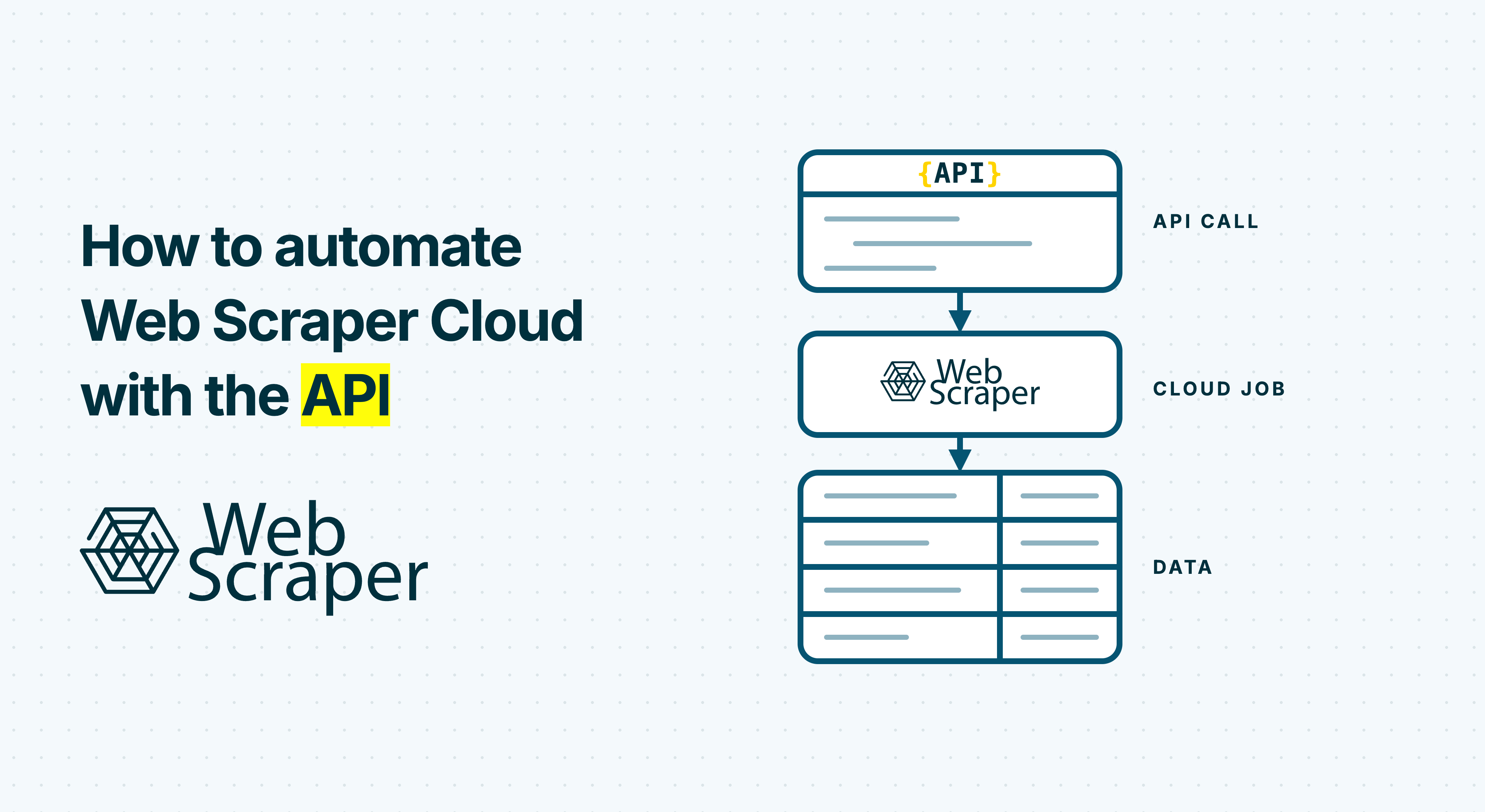
To automate Web Scraper Cloud with the API, treat every scrape as an asynchronous data-pipeline run: identify the sitemap, create a job, record its ID, wait for a terminal status, download the result, validate it, and only then publish it downstream. The API removes the need to start and monitor recurring jobs manually, while Web Scraper Cloud handles the browser execution and collection work.
This tutorial builds that workflow in Python. It also covers the parts that make an automation safe in production: rate limits, ambiguous POST outcomes, newline-delimited JSON, data-quality checks, quarantine, and atomic promotion.
Before you automate a sitemap
Start with a sitemap that already produces the expected records in Web Scraper Cloud. API automation will repeat the sitemap's behavior; it will not repair selectors, navigation, authentication, or page-state problems.
You need:
- a Web Scraper Cloud account and API token;
- the numeric ID of a Cloud sitemap;
- a tested job configuration, including proxy, request interval, and page-load delay;
- Python 3.10 or later and the
requestspackage; - a destination where a completed dataset can be staged before it is published.
Keep the token in a secret manager or environment variable. Do not commit it to source control or print it in logs.
The Web Scraper Cloud API documentation describes the resources used below. All examples use this base URL:
https://api.webscraper.io/api/v1Send the token as a Bearer credential:
Authorization: Bearer YOUR_API_TOKENThe API workflow at a glance
The useful resources are separate by design. A job-status response is not the dataset, and a finished status is not the same as an accepted dataset.
| Purpose | Method and path | What the automation should retain |
|---|---|---|
| List Cloud sitemaps | GET /sitemaps |
sitemap_id and sitemap name |
| Start a job | POST /scraping-job |
Returned job ID and your custom_id |
| List jobs for reconciliation | GET /scraping-jobs?sitemap_id={id} |
Matching job ID for an uncertain launch |
| Read job state | GET /scraping-job/{id} |
Status, counts, and diagnostic metadata |
| Download JSONL or CSV | GET /scraping-job/{id}/{extension} |
A staged local file |
| Read Cloud quality results | GET /scraping-job/{id}/data-quality |
Whether configured quality rules passed |
The safest state transition is:
- Save a unique internal run ID locally.
- Submit the job with that value as
custom_id. - Save the returned scraping-job ID.
- Poll until the job is
finished,failed, orstopped. - Download into a temporary file.
- Run Cloud and application-specific checks.
- Atomically promote an accepted file, or quarantine a rejected one.
Find the sitemap ID
If the numeric sitemap ID is not already in configuration, request the sitemap list. The endpoint is paginated, so production code should follow every page instead of assuming the first response contains all sitemaps.
curl "https://api.webscraper.io/api/v1/sitemaps" \
  -H "Authorization: Bearer $WEB_SCRAPER_API_TOKEN"
Resolve the sitemap by an exact, stable name, then store its numeric ID in deployment configuration. Failing when a name is missing or duplicated is safer than silently selecting a different sitemap.
Start a scraping job
Create a job with POST /scraping-job. The request requires sitemap_id, request_interval, page_load_delay, and proxy. Optional fields include render_js, priority, start_urls, and custom_id.
curl -X POST "https://api.webscraper.io/api/v1/scraping-job" \
  -H "Authorization: Bearer $WEB_SCRAPER_API_TOKEN" \
  -H "Content-Type: application/json" \
  -d '{
    "sitemap_id": 123,
    "request_interval": 2000,
    "page_load_delay": 2000,
    "proxy": "datacenter-us",
    "render_js": true,
    "custom_id": "catalog-2026-09-17T020000Z"
  }'
The success response contains the new job identifier under data.id. Persist it before doing anything else.
Use start_urls when an upstream system supplies a bounded set of pages for this run. Omitting it lets the sitemap use its configured start URLs. Because job settings affect cost, speed, and site load, begin with the values from a successful manual run and change one parameter at a time.
Give every launch a correlation ID
Set custom_id to a unique value from your own system, such as a batch ID or scheduled-run ID. It connects your logs, database row, webhook notification, and Cloud job. More importantly, it helps recover from an ambiguous launch.
Suppose the client sends the POST and then times out before receiving the response. The server may have created the job. Blindly repeating the POST can create two scrapes. Instead, save the custom_id before sending, list jobs for the sitemap, and look for that exact value. If a matching job exists, adopt its ID. If reconciliation is inconclusive, stop for investigation rather than guessing.
Respect the API rate limit
Web Scraper Cloud documents a limit of 200 API requests per 15 minutes. Responses expose X-RateLimit-Limit, X-RateLimit-Remaining, and X-RateLimit-Reset; the reset value is a Unix timestamp.
Rate limits usually matter more to status polling than to job creation. A ten-second polling loop uses 90 requests in 15 minutes for one job. The same loop across several concurrent jobs can exhaust the shared allowance quickly.
Use these controls:
- poll less frequently as jobs run longer;
- add random jitter so workers do not request status at the same instant;
- centralize polling if many workers share one token;
- on
429, sleep untilX-RateLimit-Reset, with a small safety margin; - monitor the remaining-request header rather than waiting for the first rejection.
GET requests can generally be retried because they do not create another job. A POST requires the reconciliation strategy described above.
Poll until the job reaches a terminal status
Read GET /scraping-job/{id} and inspect data.status. The terminal states are finished, failed, and stopped.
Route them explicitly:
| Status | Pipeline action |
|---|---|
finished |
Continue to download and validation |
failed |
Record diagnostics, alert, and stop |
stopped |
Treat as incomplete unless an operator has defined another policy |
| Any nonterminal state | Wait with backoff and poll again |
Do not promote old data as though the current run succeeded. If downstream consumers are allowed to keep using the previous accepted snapshot, make that fallback visible in monitoring.
Download to a staging file
After the job finishes, request GET /scraping-job/{id}/json or /csv. JSON output is newline-delimited JSON, also called JSONL or NDJSON: each nonempty line is a complete JSON object. It is not one large JSON array.
That format is useful for large jobs because the client can stream and validate one record at a time. Write the response to a .partial file in the same filesystem as the final destination. Never overwrite the current accepted dataset while bytes are still arriving.
For other formats that may be available to your account or current API version, check the live API reference before adding them to an integration.
Validate before publishing
A finished job means execution ended successfully. It does not prove that the dataset is complete or useful.
Web Scraper Cloud Data quality control can check minimum record count, maximum failed-page percentage, maximum empty-page percentage, and minimum field population. Query the job's data-quality resource and reject the run if configured checks fail. A data-quality failure does not change the job itself from finished to failed, so these are separate gates.
Add checks that express your downstream contract:
- every JSONL line parses;
- the file contains at least the expected number of records;
- required fields are present and nonempty;
- a business key is unique when duplicates are invalid;
- the locally parsed count agrees with the job's stored record count, when supplied;
- values fall within credible ranges for your use case.
If any check fails, move the staged artifact to quarantine, retain diagnostics, and leave the previous accepted file untouched. This separation prevents a syntactically valid but materially broken scrape from replacing trusted data.
End-to-end Python example
The following example launches one job, safely handles uncertain POST outcomes, polls with rate-limit awareness, downloads JSONL, validates it, and promotes it with an atomic rename. Adjust the proxy, timing, thresholds, paths, and fields to match the tested sitemap.
import json
import os
import random
import time
from datetime import datetime, timezone
from pathlib import Path
from uuid import uuid4

import requests

BASE_URL = "https://api.webscraper.io/api/v1"
TOKEN = os.environ["WEB_SCRAPER_API_TOKEN"]
SITEMAP_ID = 123

STATE_FILE = Path("web-scraper-launch.json")
PARTIAL_FILE = Path("catalog.jsonl.partial")
FINAL_FILE = Path("catalog.jsonl")
QUARANTINE_FILE = Path("catalog.jsonl.quarantine")

MIN_RECORDS = 100
REQUIRED_FIELDS = {"web-scraper-start-url", "title", "price"}
BUSINESS_KEY = None  # For example, "sku" when it must be unique.

session = requests.Session()
session.headers.update({
    "Authorization": f"Bearer {TOKEN}",
    "Accept": "application/json",
})


def save_state(state):
    temp = STATE_FILE.with_suffix(".tmp")
    temp.write_text(json.dumps(state, indent=2), encoding="utf-8")
    temp.replace(STATE_FILE)


def reset_wait(response, fallback=30):
    raw = response.headers.get("X-RateLimit-Reset")
    if raw and raw.isdigit():
        return max(1, int(raw) - int(time.time()) + 2)
    return fallback


def get_with_retry(path, *, stream=False, attempts=6):
    url = f"{BASE_URL}{path}"
    for attempt in range(attempts):
        try:
            response = session.get(url, timeout=(10, 60), stream=stream)
        except (requests.Timeout, requests.ConnectionError):
            if attempt == attempts - 1:
                raise
            time.sleep(min(60, 2 ** attempt) + random.random())
            continue

        if response.status_code == 429:
            time.sleep(reset_wait(response))
            continue
        if 500 <= response.status_code < 600:
            if attempt == attempts - 1:
                response.raise_for_status()
            time.sleep(min(60, 2 ** attempt) + random.random())
            continue

        response.raise_for_status()
        return response
    raise RuntimeError(f"GET retry budget exhausted: {path}")


def reconcile_launch(custom_id):
    page = 1
    while True:
        response = get_with_retry(
            f"/scraping-jobs?sitemap_id={SITEMAP_ID}&page={page}"
        )
        payload = response.json()
        jobs = payload.get("data", [])
        for job in jobs:
            if job.get("custom_id") == custom_id:
                return job["id"]

        meta = payload.get("meta", {})
        last_page = meta.get("last_page")
        if not jobs or (last_page is not None and page >= int(last_page)):
            return None
        page += 1


def launch_job():
    custom_id = (
        "catalog-"
        + datetime.now(timezone.utc).strftime("%Y%m%dT%H%M%SZ-")
        + uuid4().hex[:10]
    )
    state = {"custom_id": custom_id, "status": "launch_pending"}
    save_state(state)  # Persist correlation before the POST.

    body = {
        "sitemap_id": SITEMAP_ID,
        "request_interval": 2000,
        "page_load_delay": 2000,
        "proxy": "datacenter-us",
        "render_js": True,
        "custom_id": custom_id,
    }

    try:
        response = session.post(
            f"{BASE_URL}/scraping-job",
            json=body,
            timeout=(10, 60),
        )
        if response.status_code in {401, 403, 422, 429}:
            response.raise_for_status()  # Definite rejection, not ambiguous.
        if 500 <= response.status_code < 600:
            raise requests.ConnectionError(
                f"ambiguous server response: {response.status_code}"
            )
        response.raise_for_status()
        job_id = response.json()["data"]["id"]
    except (requests.Timeout, requests.ConnectionError):
        job_id = reconcile_launch(custom_id)
        if job_id is None:
            raise RuntimeError(
                "Launch outcome is uncertain and no matching custom_id was found. "
                "Do not repeat the POST automatically."
            )

    save_state({"custom_id": custom_id, "job_id": job_id, "status": "launched"})
    return job_id


def wait_for_finish(job_id):
    delay = 10
    while True:
        job = get_with_retry(f"/scraping-job/{job_id}").json()["data"]
        status = job["status"]
        print(f"job={job_id} status={status}")

        if status == "finished":
            return job
        if status in {"failed", "stopped"}:
            raise RuntimeError(f"Job ended with status {status}: {job_id}")

        time.sleep(delay + random.uniform(0, 3))
        delay = min(60, int(delay * 1.5))


def download_jsonl(job_id):
    response = get_with_retry(f"/scraping-job/{job_id}/json", stream=True)
    with PARTIAL_FILE.open("wb") as output:
        for chunk in response.iter_content(chunk_size=1024 * 1024):
            if chunk:
                output.write(chunk)


def validate_jsonl(job, job_id):
    quality = get_with_retry(
        f"/scraping-job/{job_id}/data-quality"
    ).json().get("data", {})
    if quality.get("overall_data_quality_success") is False:
        raise ValueError("Cloud data-quality checks failed")

    count = 0
    seen = set()
    with PARTIAL_FILE.open(encoding="utf-8") as source:
        for line_number, line in enumerate(source, start=1):
            if not line.strip():
                continue
            try:
                record = json.loads(line)
            except json.JSONDecodeError as exc:
                raise ValueError(f"Invalid JSONL at line {line_number}") from exc

            missing = [field for field in REQUIRED_FIELDS if not record.get(field)]
            if missing:
                raise ValueError(
                    f"Missing required fields at line {line_number}: {missing}"
                )

            if BUSINESS_KEY:
                key = record.get(BUSINESS_KEY)
                if not key or key in seen:
                    raise ValueError(
                        f"Missing or duplicate {BUSINESS_KEY} at line {line_number}"
                    )
                seen.add(key)
            count += 1

    if count < MIN_RECORDS:
        raise ValueError(f"Expected at least {MIN_RECORDS} records, received {count}")

    stored_count = job.get("stored_record_count")
    if stored_count is not None and count != int(stored_count):
        raise ValueError(
            f"Downloaded {count} records, but job reports {stored_count}"
        )
    return count


def main():
    job_id = launch_job()
    job = wait_for_finish(job_id)
    download_jsonl(job_id)

    try:
        count = validate_jsonl(job, job_id)
    except Exception:
        if PARTIAL_FILE.exists():
            PARTIAL_FILE.replace(QUARANTINE_FILE)
        raise

    PARTIAL_FILE.replace(FINAL_FILE)  # Atomic on the same filesystem.
    save_state({"job_id": job_id, "status": "accepted", "records": count})
    print(f"Published {count} records to {FINAL_FILE}")


if __name__ == "__main__":
    main()
The state file in this example is deliberately small. In a multi-worker system, use a database with a uniqueness constraint on custom_id, record every transition, and acquire a lock before reconciling or promoting a run.
Separate definite failures from uncertain launches
Good retry behavior depends on whether the server could have applied the request.
| Condition | Interpretation | Action |
|---|---|---|
401 or 403 |
Authentication or authorization failed | Fix the credential or account access; do not retry blindly |
422 |
The launch payload is invalid | Correct the request; do not retry unchanged |
429 |
The request was rejected by the rate limit | Wait for reset, then submit as a deliberate new attempt |
Connection loss, timeout, selected 5xx after sending POST |
The launch may or may not exist | Reconcile by exact custom_id; never issue an automatic duplicate POST |
Timeout or 5xx on a GET |
No new job is created | Retry with bounded exponential backoff and jitter |
This distinction is more important than a large retry count. Reconciliation turns a network uncertainty into a known job ID without paying for duplicate work.
Use webhooks when polling no longer scales
Polling is a good first implementation because it needs no public inbound endpoint. For higher job volume, configure a webhook and keep polling as recovery.
Web Scraper Cloud sends a form-encoded POST when a job becomes finished, stopped, or failed. The payload includes scrapingjob_id, status, sitemap_id, sitemap_name, and custom_id. A receiver should validate the request, enqueue the event, and return HTTP 2xx within 10 seconds. Downloading and importing the dataset should happen in a worker, not inside the webhook request.
Delivery can be repeated after a timeout or non-2xx response. Using Continue for empty or failed URLs can also produce another valid final notification for the same job. Make the receiver idempotent by recording the job ID and status before starting downstream work.
Production checklist
Before scheduling the integration, confirm that it can answer each question:
- Is the token stored outside code and logs?
- Is the sitemap ID pinned and the sitemap tested in Cloud?
- Is
custom_idunique and persisted before the launch request? - Can an uncertain POST be reconciled without creating a second job?
- Are
429responses and rate-limit headers handled? - Do
failedandstoppedjobs alert instead of publishing? - Is the download streamed into a staging file?
- Are Cloud quality checks and business-specific checks both enforced?
- Does a rejected run go to quarantine while the previous snapshot remains available?
- Is promotion atomic and observable?
- If webhooks are enabled, is duplicate delivery harmless?
Once those controls are in place, the integration becomes a dependable handoff between managed scraping and the rest of your data stack, rather than a script that merely starts jobs.
Use the API to move a tested sitemap into your scheduled data pipeline.