Real estate data extraction for property and listing data
Keep public property listings, asking prices and status changes current across the portals and agency sites relevant to your market. Web Scraper Cloud runs recurring jobs and delivers structured datasets to your investment, brokerage, research or property-data workflows.
Who real estate data extraction is for
Property websites spread market evidence across search results, map or list views and listing detail pages. Real estate data extraction is useful for teams that need a current view of selected properties and listings without repeating the same portal checks manually.
| Who it is for | What they follow | Risk of incomplete or outdated data |
|---|---|---|
| Property investors and acquisition teams | New listings, price reductions, status changes and time on market | Missing an opportunity or treating a relisted property as genuinely new |
| Brokerages and agency teams | Listing coverage and visible inventory across selected areas | Leaving a competitor, neighborhood or property type outside the market view |
| Proptech and property data teams | Current listing records with source and observation history | Passing stale prices, duplicate properties or incorrect status into a product |
| Market analysts and lenders | Visible supply, asking prices and listing movement by region | Interpreting an incomplete portal run as a real change in local supply |
A typical real estate data workflow
A regional property investment team follows public listings across 12 property portals and agency websites in three cities. Each morning it captures the source listing ID, URL, address, unit detail, sale or rent purpose, property type, asking price, bedrooms, floor area, public agent or agency, listing status and observation time.
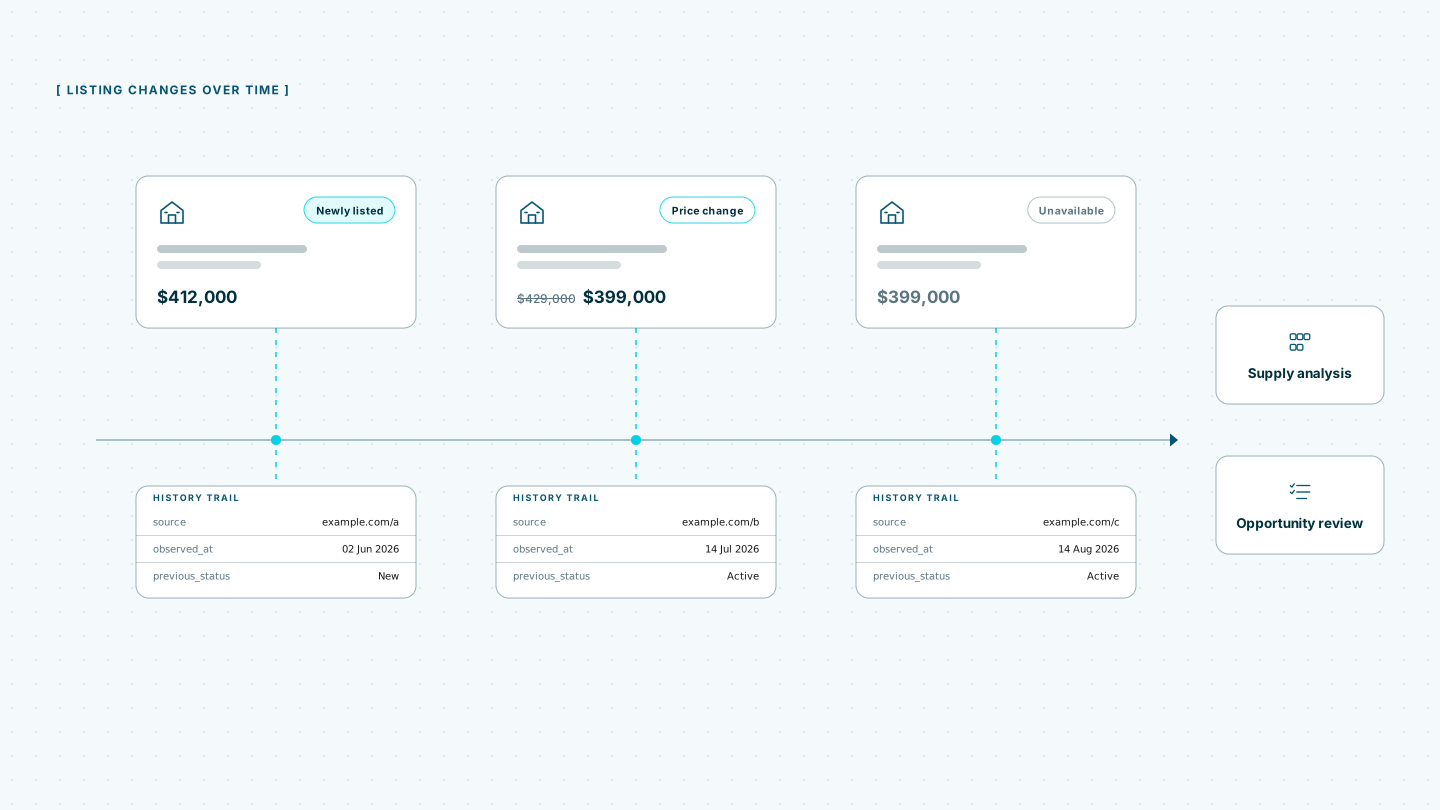
When a job finishes, a webhook notifies the team’s property-data pipeline. That system normalizes address components, connects source listings to reviewed property identities, compares the latest observations with earlier runs and flags new listings, price reductions, relistings and possible removals. Coverage checks prevent a partial portal run from being treated as a sudden market change.
Web Scraper handles recurring website extraction and delivery. Property matching, address normalization, valuation, removal classification, market modeling and investment decisions remain part of the customer’s own workflow.
Built for changing property portals
Property portals often load search results, maps, prices and listing details through JavaScript. Relevant inventory may extend across pagination or infinite scrolling, and filters for location, property type, sale or rent purpose and price can change the visible result set. Sources can also apply rate limits, IP blocks, CAPTCHAs and anti-bot protections.
Running recurring collection in-house means maintaining headless browsers, a proxy pool, CAPTCHA handling, retry logic, scheduling and monitoring across every source. Changes to portal navigation, filter state, pagination or listing templates can create further maintenance work before the next scheduled run.
Web Scraper Cloud provides that execution infrastructure as a managed service, combining browser automation, built-in proxy management, automated CAPTCHA handling and retries. Teams can manage source coverage and extraction rules while Web Scraper Cloud runs the jobs and delivers the completed records.
Coverage across portals and agency websites
Web Scraper can be configured for public property portals, brokerage websites, agency listing pages and other structured real estate sources built with static HTML, JavaScript frameworks or custom systems.
A sitemap can preserve the configured geography and filters, move through result pages and follow listings to their detail pages. It can retain separate property, listing and observation fields so a new source listing is not automatically treated as a new physical property.
Unusual map interfaces, location states, page structures or access protections may require additional sitemap or Cloud configuration.
The free trial is the fastest way to configure representative areas and listing types, run the first jobs and confirm that the required records reach your property-data workflow.
Where Web Scraper fits
Web Scraper provides the recurring website-extraction layer between public property sources and the systems your team uses for matching, analysis and decision-making.
Define the source and listing coverage
Use the Web Scraper browser extension to create a sitemap for each source. Define the search or list states, follow listing links and select the property fields required in the output.
Run recurring jobs in Web Scraper Cloud
Web Scraper Cloud handles scheduled execution, browser automation, proxies, retries and job monitoring across the selected portals and agency sites.
Jobs can run at fixed intervals or through custom schedules, allowing teams to refresh listing observations without repeating manual portal checks. Explore scheduled scraping.
Connect completed jobs to property systems
Download completed data as CSV, XLSX or JSON, or send it to Google Sheets, Google Drive, Dropbox, Google Cloud, Azure or Amazon S3.
Use the Web Scraper Cloud API when completed jobs need to enter a property database, analytics environment or internal data pipeline. Webhooks notify those systems when a run has finished. View data export options.
curl "https://api.webscraper.io/api/v1/scraping-job/{job_id}/json" -H "Authorization: Bearer {token}"

{
  "listing_id": "RE-48211",
  "property_type": "Apartment",
  "location": "Porto, PT",
  "asking_price": "265000",
  "status": "price_reduced",
  "agency": "Douro Imobiliaria",
  "source_url": "https://portal.example.pt/listing/48211",
  "observed_at": "2026-08-17T06:00:11Z"
}
{...}Ready-made sitemaps for property portals
Start from a prebuilt portal sitemap and adjust it to the geographies, listing states and property fields you follow.
Turn recurring listing checks into structured property datasets
Move selected portal and agency-site checks into scheduled extraction jobs and deliver each completed dataset to the systems your team already uses. Start with one representative geography and expand coverage after the listing structure and market-change rules are working as intended.