Web data for AI training and evaluation
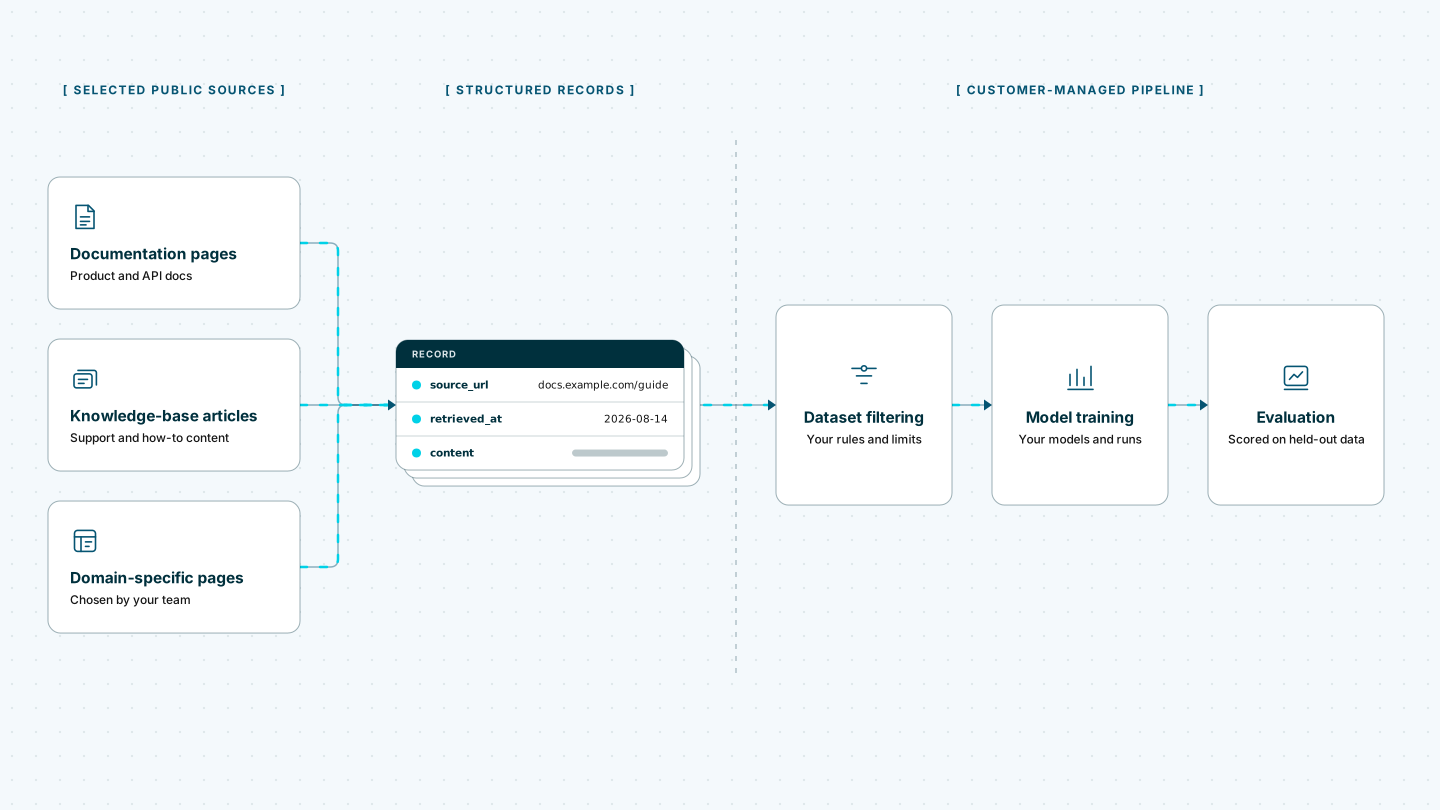
Build repeatable datasets from the public websites relevant to your model. Web Scraper Cloud runs one-time or recurring extraction jobs and delivers structured source data to the pipeline your team uses for filtering, labeling, training and evaluation.
Who web data for AI training is for
This workflow is useful for teams that have defined website sources and need a repeatable way to turn them into reviewable inputs for model development. The value lies in source coverage, provenance and consistent refreshes, not page volume alone.
| Who it is for | What they need | Risk of poor source data |
|---|---|---|
| Machine-learning and AI engineering teams | Domain-specific web content for training and fine-tuning | Training on stale material or leaving important source categories out of the dataset |
| Dataset and data acquisition teams | Consistent records with source and retrieval metadata | Creating a corpus that cannot be traced, refreshed or checked for source imbalance |
| Evaluation and quality teams | Repeatable source snapshots for benchmarks and test sets | Allowing changing pages or duplicate material to distort evaluation results |
| Research and governance teams | Reviewable source coverage and clear hand-off points | Passing material downstream without the evidence needed for rights and governance review |
A typical AI training data workflow
An industrial software company is fine-tuning a model to classify technical support requests. Its dataset team uses troubleshooting guides, product documentation and release notes from 30 approved vendor websites. Each run captures the source URL, page title, product category, publication or update date, section headings and selected article content.
When a job finishes, a webhook notifies the company’s data pipeline. That pipeline compares the new source snapshots with earlier versions, removes duplicates, filters by language and quality rules, labels examples and separates records into training, validation and evaluation sets.
Web Scraper handles website extraction and delivery. Source approval, rights review, document identity, deduplication, personal-data and safety filtering, labeling, tokenization, dataset balancing, model training and evaluation remain part of the customer’s own workflow.
Built for changing and inconsistent web sources
Training sources rarely share one page structure. Documentation may be split across versions and languages, article bodies can load through JavaScript, and relevant pages may sit behind category navigation, pagination or repeated interaction patterns. Rate limits, IP blocks, CAPTCHAs and anti-bot protections can interrupt otherwise valid runs.
Running this collection in-house means maintaining headless browsers, a proxy pool, CAPTCHA handling, retry logic, scheduling and monitoring across every source. A change to a website’s markup, navigation or JavaScript behavior can create new maintenance work before the next dataset refresh.
Web Scraper Cloud provides that execution infrastructure as a managed service, combining browser automation, built-in proxy management, automated CAPTCHA handling and retries. Dataset teams can concentrate on source coverage and extraction rules while Web Scraper Cloud runs the jobs and delivers the completed records.
Coverage across domain-specific websites
Web Scraper can be configured for public documentation, help centers, knowledge bases, release notes, article archives, catalogs and other structured website sources built with static HTML, JavaScript frameworks or custom systems.
A sitemap can follow links between indexes, sections and detail pages while retaining the source URL, page title, timestamps and selected content needed by the dataset specification. Different source families can use different sitemaps while producing a consistent output structure.
Unusual page structures, interaction patterns or access protections may require additional sitemap or Cloud configuration.
The free trial is the fastest way to configure representative pages, run the first source sample and confirm that the required records reach the downstream dataset pipeline.
Where Web Scraper fits
Web Scraper provides the configurable website-extraction layer before the customer-managed dataset preparation, training and evaluation stack.
Define source coverage and record structure
Use the Web Scraper browser extension to create a sitemap for each source family. Select the source URL, page title, relevant metadata and content while excluding navigation, footers and repeated page furniture.
Run one-time or recurring jobs in Web Scraper Cloud
Web Scraper Cloud handles remote execution, browser automation, proxies, retries and job monitoring across the selected sources.
Run a defined one-time corpus or use recurring schedules to refresh approved sources without repeating manual collection. Explore scheduled scraping.
Deliver completed records to the dataset pipeline
Download completed data as CSV, XLSX or JSON, or send it to Google Sheets, Google Drive, Dropbox, Google Cloud, Azure or Amazon S3.
Use the Web Scraper Cloud API when jobs need to enter a customer-managed data pipeline. Webhooks notify that pipeline when a run has finished. View data export options.
curl "https://api.webscraper.io/api/v1/scraping-job/{job_id}/json" -H "Authorization: Bearer {token}"

{
  "page_title": "Hydraulic pump maintenance",
  "source_url": "https://docs.example.com/pumps/maintenance",
  "language": "en",
  "content": "Check the suction line for air ingress before replacing the seal kit...",
  "retrieved_at": "2026-08-17T06:00:11Z"
}
{...}Ready-made sitemaps for public source sites
The Marketplace has no training-specific templates. Start from a prebuilt sitemap for a comparable source type, or build your own with the browser extension.
Build a repeatable web data feed for model development
Replace one-off downloads and manual source checks with defined web extraction jobs. Start with a representative source set, confirm the output against the dataset specification and expand coverage when the downstream controls are in place.