Instant Data Scraper can collect browsing, AI and shopping data if you opt in
September 23, 2026
data security, extension privacy, Instant Data Scraper, code review, web scraping, Chrome extensions
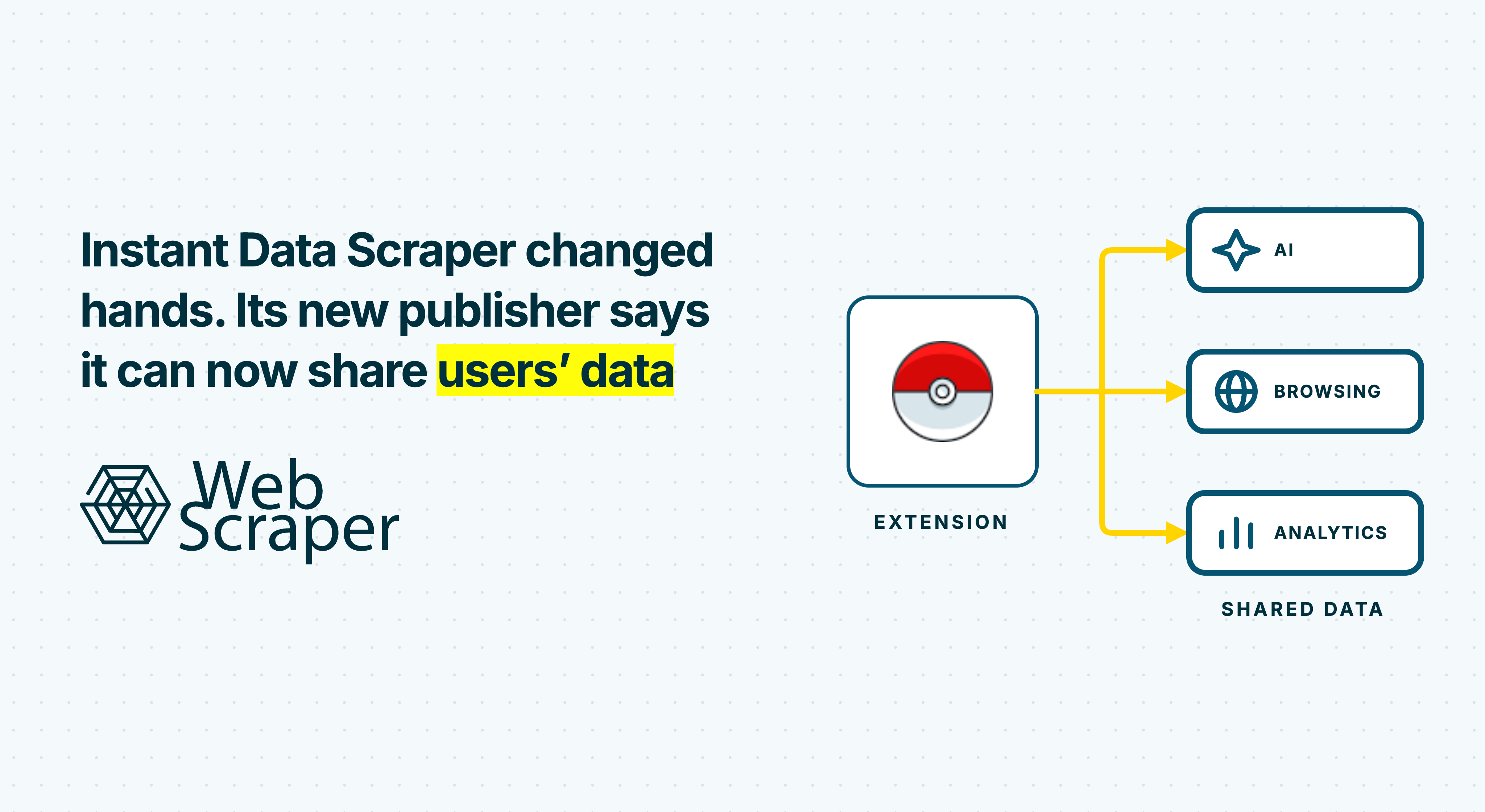
Instant Data Scraper has changed hands: Web Robots, which created and formerly owned the extension, says it no longer owns or supports it. The Chrome Web Store now lists Flavr Technology LP as its publisher, with one million users. It still exports tables, but version 1.7.1 also contains code that watches page visits and runs rules targeting AI chats, Amazon cart contents at checkout, search results and ads.
For an opted-in user, selected content can be queued and attached to a later browsing event sent to the publisher. Flavr’s policy describes collection and affiliate sharing for extension users generally, including those outside the US and Europe. Sections of that same policy for California and other US states explicitly discuss selling or sharing these data categories. We did not verify a sale of an individual user’s data.
This collection is separate from the table you deliberately export. The reviewed code does not show that exported table being uploaded, and its main page-content upload requires opt-in. Analytics and configuration requests can still run if you decline. Start with what this means for users; the code, network paths and reproduction scripts follow below.
“We sell such categories of Personal Data to our business customers”
That sentence comes from Flavr’s single privacy policy for the extension, in its section on the rights of residents of other US states. It is not a separate US-only policy. The main sections describe collecting browsing, shopping and AI data, sharing personal information with affiliates and, in limited circumstances, sharing filtered or aggregated information with their customers. Those clauses do not exclude users outside the US. We traced what the extension is configured to collect, what requires opt-in and where the requests go; we did not observe an individual sale.
The short version
- It is still a table scraper, but the new version can watch activity outside the table you export. Web Robots created the original extension; Flavr is its current publisher.
- What could be exposed: pages you visit, AI prompts and answers, Amazon cart items at checkout, Google searches, ads and part of a Perplexity session record. These are targets in the dated rules, not confirmed uploads from a real user.
- Clicking Agree turns on several categories together. The main page-content upload is blocked until opt-in; analytics and configuration requests can still occur if you decline.
- The collection targets can change. The extension downloads instructions from the publisher’s server about every six hours. A persistent ID can connect activity across sessions and, if Chrome sync is enabled, possibly across devices.
- The policy allows information to reach customers. It describes affiliate sharing for users generally and uses explicit sale language in its US state sections. We did not observe an individual sale.
What can the extension collect in each region?
The reviewed version and its 24 September rulebook show no country-specific block on the categories below. A check mark means the code has a way to collect or return that kind of information in the region. It does not mean a particular user agreed, that an upload succeeded, or that collection is lawful there. The first six rows need opt-in, the relevant category enabled and a matching page or action. The profile is feature-dependent; basic usage events can run even if someone declines.
| Data category | What it can include | California | Other covered US states | Rest of US | EU / EEA | UK | Elsewhere |
|---|---|---|---|---|---|---|---|
| Browsing history | Visited page URLs, the previous page and how you arrived. | ✓ | ✓ | ✓ | ✓ | ✓ | ✓ |
| AI conversations | Prompts, answers, conversation links and model details on supported services. The active Claude rule targets only the model name. | ✓ | ✓ | ✓ | ✓ | ✓ | ✓ |
| Perplexity session record | A saved session record with name, email and username removed. Other fields may remain. | ✓ | ✓ | ✓ | ✓ | ✓ | ✓ |
| Search activity | Google queries, result links and snippets, shopping results and AI answers. | ✓ | ✓ | ✓ | ✓ | ✓ | ✓ |
| Amazon cart at checkout and purchases | Items, prices, quantities, sellers and purchase ID when the Amazon order button is clicked. Similar rules cover five other retailers. The policy mentions cart additions, but a rule for every addition was not established. | ✓ | ✓ | ✓ | ✓ | ✓ | ✓ |
| Ads you encounter | Selected ads and sponsored posts: advertiser, creative and destination. | ✓ | ✓ | ✓ | ✓ | ✓ | ✓ |
| Profile or inferred interests | A profile or search-interest category tied to an ID. The server's method of creating them is unknown. | ✓ | ✓ | ✓ | ✓ | ✓ | ✓ |
| Persistent ID and usage events | ID, installation, consent and feature-change events; these can run without the main content opt-in. | ✓ | ✓ | ✓ | ✓ | ✓ | ✓ |
Attachments and sensitive content: the policy’s AI category includes attachments and images, and active rules target some image fields. We did not establish that an attached file’s contents were uploaded. Nor did we find an active rule reading passwords; the server-delivered rule language has broader capabilities than the dated rules. If someone declines opt-in, the reviewed /table path does not post page visits or rule-selected content, but analytics and configuration requests can still run.
What this looks like for real people
Here is what the configured rules mean in common situations. The first five assume the user opted in and visited a matching site; the last two show what happens after withdrawing or declining.
- A sales rep asks ChatGPT to clean up 200 leads from a CRM export. The rule targets the prompt and answer, including any names and emails pasted into the conversation. It can queue that content for a later browsing event tied to a persistent ID.
- A developer debugs production code in Gemini. The Gemini rule targets the question, answer, model and an indicator of whether a file was uploaded.
- A shopper checks out on Amazon. The rule is configured to hold the order-button click for 300 ms while extracting items, prices, quantities, sellers and other order fields.
- An agency researches competitors. The background code can prepare visit events with URLs and navigation context, including sensitive paths, subject to opt-in and any server-provided filters.
- A marketer scrolls LinkedIn and Facebook. The rules target sponsored posts and their advertiser, text, creative and landing page on matching feeds.
- A user opts in, then changes their mind. Turning off the reviewed opt-in setting stops future page-content uploads through the main route, but does not delete data already received. The policy gives a contact route for access or deletion requests and says identity verification may be required.
- A user who declines. The reviewed main upload path does not post visited pages or selected content. Analytics and configuration requests can still run.
What changes when you click “Agree”?
The main upload of visited pages and selected page content runs only when the saved opt-in setting is true. Declining stops that upload, though analytics and configuration requests can still run. Here is how the reviewed consent flow presents and records the choice:
- Agree turns on several kinds of collection. The reviewed handler enables AI, ads, shopping, search and browsing categories together, plus three features. Displayed choices vary by country.
- The consent page opens itself one second after install.
- Copying text can trigger a prompt to opt in. It is configured on seven named sites, including Apollo, Prospeo, Facebook, Instagram, Google and Maps. A 24 September experiment response assigned its traffic to the nudge variant, but we did not measure how many people saw it.
- Declining opens another choice. The reviewed screen contrasts basic use with advanced features, encouraging another look at consent.
- Presets is bundled with broader consent. Its description says the feature uses URLs without reading page content, while the reviewed acceptance path grants other buckets with page-content rules. This does not establish that Presets itself reads page content.
- Some existing opt-ins could gain more categories. If an earlier opt-in lacked separate category choices, the reviewed code adds browsing and search categories. How many users encountered this is unknown.
- Consent wording varies by country. The reviewed screens present different checkbox arrangements in the US and elsewhere; users should read the full choice shown in their browser.
What happens to the data, and does location matter?
Flavr's privacy policy (last updated 30 July 2026) covers the extension generally. It says collected information can go to Flavr’s servers and be shared with affiliated companies for analytics and market intelligence. In limited circumstances, affiliates may provide filtered or aggregated browsing, search, purchase and AI information to customers; for AI data, the policy also names model training and development. In that same policy, the California section says it may sell or share specified categories, and a section for residents of certain other US states says it sells categories to business customers. Those are publisher disclosures, not evidence that we observed a sale or know which users’ data reached customers.
What changes by location?
The collection routes described near the start of this article have no country-specific exclusion in the reviewed build. The explicit sale language and additional rights differ:
| Region | What the same policy adds |
|---|---|
| California | Says it may sell or share browsing, search, shopping, AI, ad and identifier categories to business clients; describes sale and sharing opt-out rights. |
| Certain other US states, including Virginia, Colorado, Connecticut and Texas | Says it sells those categories to business customers and describes additional state-law rights, including an opt-out of sale where applicable. |
| Other US states | The general collection and affiliate/customer-sharing terms apply; the policy provides no separate state-specific sale account for every state. |
| EU / EEA | The general terms apply. The policy describes privacy rights and claims safeguards for certain transfers of EEA-origin data. GDPR imposes separate conditions; it does not automatically bar collection of AI data. |
| UK | The general terms apply. The policy describes privacy rights and claims safeguards for certain transfers of UK-origin data; UK data protection law imposes separate conditions. |
| Other countries | The general terms apply. The policy does not give a country-by-country account of sales, customers or actual transfers; local rights vary. |
Does clicking “Agree” switch off GDPR? No. For EU and EEA users, consent must be freely given, specific, informed and unambiguous, with a way to withdraw it. If processing has multiple purposes, European Data Protection Board guidance says users should be able to consent to each purpose. The reviewed accept handler grants several data buckets together, but this code review cannot determine whether the actual choices shown to each user meet that standard. Even valid consent does not remove requirements around transparency, data minimisation, retention and international transfers.
The US sale wording does not prove that an individual user’s data was sold or identify a buyer. Equally, its placement under US headings does not exempt users elsewhere from the policy’s general sharing terms. For EU and EEA personal data, the GDPR’s processing principles and transfer rules impose separate requirements. This code review does not determine whether the publisher meets them or whether its claimed transfer safeguards were used in a particular case.
Its listed categories include browsing, search results, purchase activity, AI requests and responses, ads and data that may be sensitive under state law. The policy’s attachment language is broader than the active file-upload rules we established.
What you should do
If this extension is installed in a browser used for confidential work, review its consent settings and consider disabling or removing it.
If you use it yourself
- Open the extension's Settings and check Presets, Show Badges and AI Work Profile. The reviewed agree handler enables these features; the current settings should be checked directly.
- Disable it or remove it if you do not accept the collection described here. Removal stops this extension running in that browser; it does not erase previously received data.
- Use the privacy contact in the publisher’s policy to request information about collection, disclosure or deletion. The rights available depend on where you live.
- If you opted in, think about what you put into ChatGPT, Gemini and Perplexity while it was installed, and rotate any secrets you pasted there.
If you manage a company's browsers
- Block extension ID
ofaokhiedipichpaobibbnahnkdoiiahwith the Chrome enterprise policyExtensionInstallBlocklist. - Inventory the extension by ID and decide whether to disable or block it administratively; network blocking alone may miss future destinations.
- Check whether staff opted in, especially anyone using AI assistants with client data or source code.
- If opted-in users handled confidential data, use your normal incident assessment process. A rule match alone is not proof that content was delivered.
Technical evidence starts here. The sections below compare the two versions, show the rulebook and network routes, and give scripts for readers who want to check the findings.
What changed between 1.2.0 and 1.7.1
Between the two reviewed builds, the background script grew from 319 bytes to about 157 KB. The new build has declared access to all URLs and its page script runs on permitted top-level pages. We cannot date the ownership transfer or each code change to a particular intermediate release.
| 1.2.0 | 1.7.1 | |
|---|---|---|
| Who was behind it | Web Robots created and formerly owned the extension; the 1.2.0 manifest did not name a publisher | Flavr Technology LP is the current Chrome Web Store publisher |
| Permissions | webRequest, activeTab |
webRequest, tabs, webNavigation, scripting, storage, alarms, contextMenus |
| Site access | None declared | All URLs |
| Scripts injected into every page | 1 (scraper helper) | 3 (scraper helper and collection, opt-in nudge, Google result badges) |
| Background script | 319 bytes, one listener | 157 KB, randomised names |
| Sends data to | Google Analytics | Publisher APIs, Mixpanel, Google Analytics and GrowthBook configuration |
| Privacy policy | None | Publisher privacy policy |
Code 01 · The original background script. This is the entire 1.2.0 file. It opens the scraper window:
chrome.action.onClicked.addListener(function(e){
  chrome.windows.getCurrent(function(e){parentWindowId=e.id}),
  chrome.windows.create({url:chrome.runtime.getURL("popup.html?tabid="+encodeURIComponent(e.id)+"&url="+encodeURIComponent(e.url)),type:"popup",width:720,height:650})
});
How the collection engine works
The new code is minified and its names are randomised. The SDK lives under a global called self.kExprI64AtomicAdd16U, and its modules have names like TopicIndex, OpenPopover and Earcut that say nothing about what they do. We ran the files through a code formatter and traced them by hand. In short:
- Main-frame navigation is observed across tabs. The extension listens to every main-frame request, reads the
Refererheader, and notes how you arrived (typed URL, clicked link, bookmark, redirect). At startup it also walks through every tab you already have open. - A visit can become an event with the current URL, the previous page, the referrer and how you got there.
- A rulebook from the server tells a script inside the page what to copy. Scraped content is queued and attached to the next page-visit event.
- An event body is encoded and encrypted before the opt-in-gated request to
POST /table, with a persistent ID in the request header. - If
optInis nottrue, this upload path returns before the POST.
The rulebook is the real product
The extension refreshes rules from POST /pages/selections when the cached copy is more than six hours old. They arrive as base64 text written out in columns, so the response doesn't look like JSON at a glance. The extension unscrambles it with a few lines of code.
Each rule has a URL pattern, a trigger (a click, a timer, a page change) and a set of extraction steps written in a small rule language. That language includes steps such as take-text, take-html, take-attr, take-image-in-b64, storage-get, fetch and upload-blob. One step, take-prop, reads any property of any page element, including the value of a form field.
Code 02 · Intercept, extract, replay. A domManyTrigger rule can pause a click, run its extraction callback and then replay the click. Here is the handler from the beautified page script:
const n = r => {
  e.delayDefault && (r.preventDefault(), r.stopImmediatePropagation()); // stop the click
  t(r);                                                                   // scrape the page
  e.delayDefault && (s.removeEventListener(e.eventName, n),
    setTimeout(() => { s.dispatchEvent(r) }, e.delayDefaultForMs || 100)); // replay it later
};
What the live rulebook targets
This table records page-reading targets in the 24 September 2026 snapshot. The supplied report also describes 17 network-reading rules whose supporting component was absent from 1.7.1. Its unique active total and per-category counts conflict, so counts are omitted below. These are configured targets, not measured user uploads.
| Bucket | Sites in the dated snapshot | Fields sought by active page rules |
|---|---|---|
ai |
ChatGPT, Gemini, Perplexity, Google AI answers and Claude | Prompts and responses on supported services, code blocks, sources, model and plan details. The active Claude rule targets the model name, not its full conversation. |
e-commerce |
Amazon, Walmart, Costco, Best Buy, Nike and Chewy | Search activity and checkout items, prices, quantities, sellers and purchase IDs. |
ads |
Facebook, Instagram, LinkedIn, X, Amazon, Target and selected display ads | Advertiser, text, creative, landing page and engagement details depending on the site. |
search |
Google Search | Query, results and snippets, ads, shopping results and AI answers. |
cs |
Navigation across permitted sites | URL, previous page, referrer and transition in the background event path rather than a page-specific rule. |
Three rules show how this works in practice.
Code 03 · Amazon checkout rule. The rule waits for the "Place your order" button. When you click it, its trigger is configured to hold the click, run a callback targeting items, names, prices, quantities, seller, purchase ID and other order details, then replay the click after 300 ms. Similar rules exist for Walmart, Costco, Best Buy, Nike and Chewy; we did not complete a purchase to verify their current selectors.
{"type":"amazon_purchase","buckets":["e-commerce"],
 "triggers":[{"name":"domManyTrigger","element":"input[name='placeYourOrder1']",
              "eventName":"click","waitForElement":true,
              "delayDefault":true,"delayDefaultForMs":300}]}
ChatGPT conversations. The gptpar page rule targets the conversation URL and title, message IDs, model, prompt (Q), answer (A, A_html), code blocks, maths and source fields. It tries to extract these on matching pages; we did not capture a real account’s output.
Perplexity's login session. A timed rule looks for pplx-next-auth-session in the site’s localStorage, excludes the name, email and username fields and returns the remaining value for the extraction queue. We didn't inspect a real record, so we can't say whether what's left includes a login token.
Waiting in the wings. The 17 inactive rules target the ChatGPT, Claude.ai, Gemini and Perplexity conversation APIs directly. A future extension build containing a compatible network-reading module could make some of those instructions executable; we have not examined such a build. Today, for Claude.ai, only the model name is captured.
What the packaged encryption key does and does not prove
The event body passes through an AES-CBC routine using a key packaged in the extension. The format makes the request body unreadable at a glance, but someone who inspects the packaged key and routine can reverse a sample locally. HTTPS transport and the server’s later handling are separate questions. We cannot infer why the publisher chose this format.
The supplied investigation reports a round-trip with the extension’s encoding routine and packaged key using a made-up ChatGPT prompt. It recovered the same text after decryption. This demonstrates the format on synthetic input, not that a real user payload reached the publisher.
One ID across all your devices
Your ID is a random UUID stored in chrome.storage.sync. If Chrome sync is enabled for the profile, the stored ID can follow the account across devices. We did not test any specific user’s synchronisation settings. The supplied review also traces the ID to analytics and experiment assignment.
The client code accepts server-provided settings for its upload endpoint and URL-filter rules. The built-in URL-filter value is e30=, base64 for {}. We did not verify the server’s later storage or filtering of URLs.
Where the data goes
The hosts below use [.] in place of a dot so they cannot become live links. A configured request is not proof of receipt.
| Destination | What is sent or received | Main page-content opt-in gate? |
|---|---|---|
api[.]idscraper[.]com/table |
Encrypted visit event with URL and navigation context, plus any queued extracted content; persistent ID header | Yes, optIn === true |
api[.]idscraper[.]com/pages/selections |
Fixed SDK source ID sent; rulebook returned when cached copy expires | No |
api[.]idscraper[.]com/history/setup |
Requests the rule language’s instruction list | No |
api2[.]idscraper[.]com/v1/work-profile/{id} |
Requests a per-ID profile when Work Profile is enabled | Feature and consent dependent |
api2[.]idscraper[.]com/v1/serp-category/{id} |
Requests a per-ID search category | No main upload gate |
api2[.]idscraper[.]com/v1/domain-scrapability |
Sends domains from Google results when badges are enabled | Feature and consent dependent |
api2[.]idscraper[.]com/v1/country-code |
Gets country for consent wording; server can infer request IP | No |
api2[.]idscraper[.]com/v1/remote-config, /growthbook |
Retrieves settings and experiment assignments | No |
api2[.]idscraper[.]com/v1/uninstall |
Registered as the extension’s uninstall URL with analytics parameters | No |
| Mixpanel | Install, update and retention events, consent and feature choices, IP-based location request | No |
| Google Analytics | Usage events | No |
We found no path uploading the table the user deliberately exports. This is separate from the rule-selected content and browsing-event path above. The older build sent limited usage analytics including the site name, starting URL and row count.
Where the policy and code differ
The policy, store description and reviewed client code leave several important distinctions for users to resolve:
| Published description or policy | What the client code shows | What remains unverified |
|---|---|---|
| The policy says the GUID is irreversibly encrypted | The client places a persistent UUID in x-ids-id and uses it for profile requests |
The server may transform it later; that was not observed |
| The store says exported scraped data stays in the browser | We found no upload of the exported table, but a distinct opt-in path for rule-selected page content | A real user upload was not captured |
| Presets says no page content is read | The acceptance path can grant other buckets with page-reading rules | Presets itself may use URLs only |
| The policy says IP is stored hashed and truncated | Mixpanel calls request IP-based geolocation with ?ip=1 |
Mixpanel’s subsequent processing and the publisher’s storage were not tested |
| The policy describes deletion rights | Turning off the opt-in flag prevents future /table posts through the reviewed path |
The deletion status of past records requires a request to the publisher |
What the server could switch on without an update
We found no password-collection rule in the dated snapshot. The shipped rule language can read arbitrary element properties, so future server-supplied rules deserve scrutiny.
Every building block is already shipped and already in use by live rules:
- Reach: the page script has broad top-level site access in the reviewed build; embedded frames are a separate limit.
- Targeting: a rule's URL pattern can be any regular expression.
- Timing: holding a click while the rule runs is exactly how today's six checkout rules work.
- Reading:
take-propwithvalueon a password field would return what was typed. Reading local storage is already done on Perplexity. - Filtering: the inspected paths do not show a client-side sensitive-field exclusion; URL-filter settings can come from the server. We did not inspect server-side filtering.
The main upload still needs opt-in, and bucket-tagged rules have the relevant bucket condition. The unauthenticated rulebook can be monitored for changes. We have not established a Chrome Web Store policy violation.
Because the rulebook can change without a new extension version, a one-time inspection of the installed package is not enough to describe future targets.
What we couldn't verify
This is a code review plus a snapshot of live server configuration. We didn't opt in and didn't capture real traffic.
- What Flavr does with the data on its servers comes from the privacy policy, not observation.
- The
/tableupload path and payload format are traced through code, not confirmed with live opted-in traffic. The encryption and its reversibility were demonstrated on a synthetic payload. - The rulebook changes. We describe the version served on 24 September 2026. It refreshes every 6 hours and may differ by user.
- Frames: the page scripts only run in top-level pages, so checkout or login forms inside iframes may be out of reach.
- Update prompt: we didn't test whether existing users saw a Chrome permission warning when updating to 1.7.1.
How we did this
On 24 September 2026 we compared two unpacked builds of the Chrome extension (ID ofaokhiedipichpaobibbnahnkdoiiah): 1.2.0, built on 30 January 2024, and 1.7.1.
- Code review: we formatted the minified 1.7.1 code with js-beautify and traced
background.js(7,249 lines after formatting),onload.js, the popup, options page, search-badge script, opt-in hook and locale strings by hand. - Live configuration: we sent the same unauthenticated requests the extension makes (rulebook, rule-language instruction list, remote config, A/B flags) and decoded the rulebook with the extension's own routine.
- Policy review: we read Flavr Technology's privacy policy in full.
The supplied analysis did not give consent or capture a real opted-in upload. We tested the manifest and decoder utilities only with synthetic fixtures during the editorial pass.
Indicators for reproducing or detecting it
| Kind | Value |
|---|---|
| Extension ID | ofaokhiedipichpaobibbnahnkdoiiah |
| Upload and rulebook host | api[.]idscraper[.]com (/table, /pages/selections, /history/setup) |
| Config and profile host | api2[.]idscraper[.]com/v1 (/remote-config, /growthbook, /country-code, /domain-scrapability, /serp-category/{id}, /work-profile/{id}, /uninstall) |
| SDK source ID | a8db79741 |
| Request headers | x-ids-id (user ID), lisp (random noise), x-session-init |
| Response header | x-session-id (pushes new settings) |
| Synced storage key | analyticsInfoSync (persistent user ID) |
| Local storage keys | optIn, optInTime, optInCountry, featureSettings, workProfile, serpUserCategory |
| Global namespace | self.kExprI64AtomicAdd16U |
| Data types | ai, ads, e-commerce, search, cs |
Reproduce two checks
These scripts are included so another reviewer can compare manifest access and decode a saved rulebook response. They were tested with synthetic fixtures for this editorial review. We did not have the raw extension builds or live response body to rerun the underlying investigation independently. Decoding a rule is not proof it executed in 1.7.1 or that a payload reached the publisher.
Compare the manifests
Code 04 · Manifest comparison. Save this as compare-manifests.mjs and run node compare-manifests.mjs 1.2.0/manifest.json 1.7.1/manifest.json:
import fs from "node:fs";

const [beforePath, afterPath] = process.argv.slice(2);
if (!beforePath || !afterPath) {
  throw new Error("Usage: node compare-manifests.mjs OLD/manifest.json NEW/manifest.json");
}
const before = JSON.parse(fs.readFileSync(beforePath, "utf8"));
const after = JSON.parse(fs.readFileSync(afterPath, "utf8"));
const added = (a = [], b = []) => b.filter(x => !a.includes(x));
const scripts = m => (m.content_scripts ?? []).map(s => ({
  matches: s.matches ?? [], js: s.js ?? [], all_frames: s.all_frames ?? false
}));

console.log(JSON.stringify({
  versions: [before.version, after.version],
  permissionsAdded: added(before.permissions, after.permissions),
  hostsAdded: added(before.host_permissions, after.host_permissions),
  contentScriptsBefore: scripts(before),
  contentScriptsAfter: scripts(after)
}, null, 2));
Decode the saved rulebook
Code 05 · Saved rulebook decoder. Save this as decode-rulebook.mjs and run node decode-rulebook.mjs selections-response.json. The input is a locally saved /pages/selections response with field e. The script lists candidate objects with matchers and triggers; inspect configTarget and SDK compatibility before calling a rule active.
import fs from "node:fs";

const responsePath = process.argv[2];
if (!responsePath) {
  throw new Error("Usage: node decode-rulebook.mjs selections-response.json");
}
const response = JSON.parse(fs.readFileSync(responsePath, "utf8"));
if (typeof response.e !== "string") throw new Error("Missing encoded field e");

const rows = response.e.split("\n");
const width = rows[0].length;
let base64 = "";
for (let col = 0; col < width; col++) {
  for (let row = 0; row < rows.length; row++) {
    const char = rows[row].charAt(col);
    if (!char) break;
    base64 += char;
  }
}
const decoded = JSON.parse(Buffer.from(base64, "base64").toString("utf8"));
const rules = [];
function walk(value) {
  if (Array.isArray(value)) return value.forEach(walk);
  if (!value || typeof value !== "object") return;
  if (typeof value.matcher === "string" && Array.isArray(value.triggers)) {
    rules.push({
      type: value.type,
      buckets: value.buckets ?? [],
      configTarget: value.configTarget ?? "page",
      triggers: value.triggers.map(t => t.name)
    });
  }
  Object.values(value).forEach(walk);
}
walk(decoded);
console.log(JSON.stringify({ ruleCount: rules.length, rules }, null, 2));
The bottom line
Version 1.7.1 contains a separate system that can collect browsing events and rule-selected page content for opted-in users. The rulebook can change independently of the installed package. That makes the extension’s consent settings, network requests and current rules worth checking, especially in a work browser. For a different approach to repeatable public-page extraction, see Web Scraper’s extension and its extension privacy policy, which also describes the optional AI Sitemap Wizard’s page-HTML processing.