How AI agents use web scraping and browser automation
September 07, 2026
data pipelines, browser automation, web scraping, web data, agent architecture
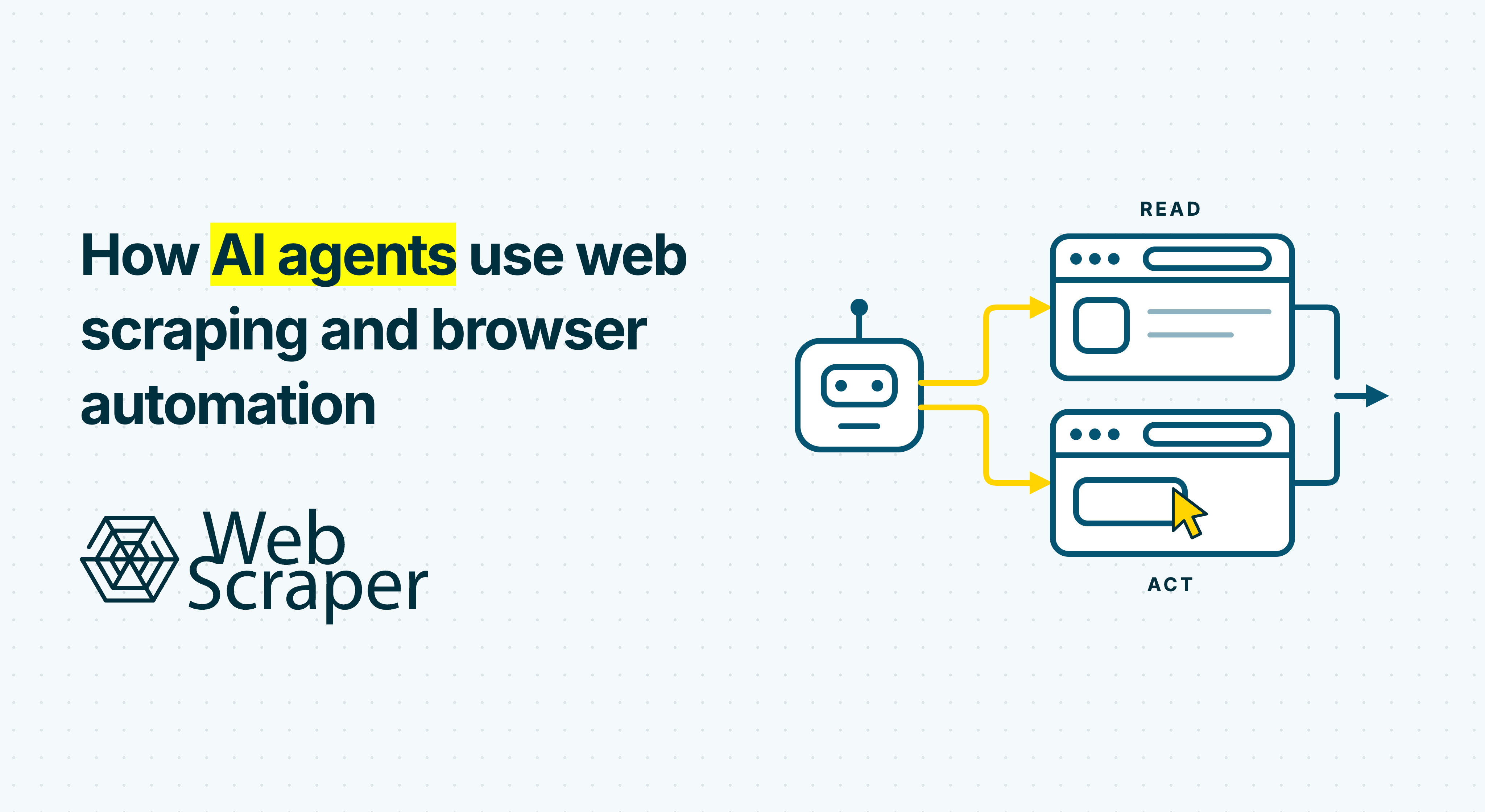
AI agents use web scraping to collect defined information from websites and browser automation to reach page states or perform interface actions. Treating both as one unrestricted “browse the web” tool hides important differences in repeatability, permissions and failure handling.
A dependable architecture routes uncertain discovery to the agent, repeated collection to a tested scraper, and state-changing or consequential work to a controlled browser workflow. That division makes web scraping for AI agents easier to validate, safer to operate and less dependent on repeated model decisions.
AI agents need three web tools, not one browser tool
The web-facing part of an agent is often reduced to a single browsing capability. That convenient prototype design combines three different jobs:
- Search or discovery finds candidate sources and URLs when the location of the answer is unknown.
- Web scraping turns known pages into defined records, including navigation through listings, pagination and detail pages.
- Browser automation remotely controls a browser so JavaScript, interactions or session state can produce the required result. WebDriver standardises one interface for this kind of browser control.
The permission boundary is equally important:
| Path | Purpose | Examples | Appropriate control |
|---|---|---|---|
| Read path | Acquire evidence | Search, retrieve pages, extract product or listing data | Source allowlist, schema, freshness and completeness checks |
| State path | Produce the required view | Select a region, reveal variants, scroll or paginate | Defined actions, session rules and observable readiness conditions |
| Act path | Cause an external effect | Submit a form, send a message, place an order or change an account | Separate credentials, explicit approval and an audit trail |
Browser automation can support all three paths. Clicking “Load more” exposes records, while confirming a purchase creates an external commitment. The same browser engine should not receive the same authority for both.
The choice between raw responses and browser rendering happens below this routing layer. If the returned HTML already contains every required field and link, direct retrieval is usually simpler. If JavaScript or interaction creates the data, a browser may be required. The guide to browser automation and HTTP scraping explains how to test that lower-level decision.
Route by uncertainty, repetition and effect
Use the least privileged, least variable route that satisfies the requirement. Test a suitable authorised API first; otherwise route according to uncertainty, repetition and side effects.
| Situation | Starting route | Why |
|---|---|---|
| The relevant source or URL is unknown | Search or agentic discovery | The system must infer where useful evidence may exist |
| Known public pages share a repeated structure | Configured web scraper | Navigation and extraction can be tested and reused |
| JavaScript or a known click sequence produces the data | Deterministic browser-based scraper | The required state is known, so the model need not rediscover it |
| The next step depends on an unfamiliar interface | Controlled browser agent | Runtime judgement may be necessary |
| A form submission changes an external system | Action tool with approval | The operation needs a separate permission and audit boundary |
| A successful exploratory path is needed repeatedly | Saved scraper or browser workflow | Replaying a tested path is more observable than reasoning through it again |
Once a route is selected, the agent loop should be explicit:
- Interpret the goal. Define the entities, fields, approved sources, freshness, scope and completion condition.
- Select the route. Choose an API, discovery tool, known scraper or controlled browser workflow.
- Execute through a narrow tool. Send structured inputs rather than an open-ended instruction to browse until finished.
- Validate the result. Check source identity, page state, records, coverage and freshness.
- Continue, retry or escalate. Reason over accepted evidence, classify an exception or request approval before an external action.
A missing JavaScript-rendered field may justify rerouting to a browser-capable scraper. An access block or permission problem should not automatically trigger a more powerful tool.
Give each web tool a narrow contract
A tool named browse_web tells the model little about its authority or what success means. A production tool contract should define more than a natural-language description.
| Contract field | What it should define |
|---|---|
| Purpose | Discovery, dataset extraction, state creation or external action |
| Inputs | Query, approved domains, sitemap ID, schema version, start URLs or allowed action |
| Preconditions | Permission, compatible page family, authentication state and required approval |
| Side-effect class | Read-only, session-only or external mutation |
| Boundaries | Allowed origins, page and action budget, runtime, rate and forbidden actions |
| Output | Records, provenance, browser state, job ID or proposed action |
| Completion test | Coverage reached, quality threshold met or postcondition observed |
| Error and retry rules | Blocked, incomplete, timed out, approval required or unsafe to retry |
| Audit data | Tool version, timestamps, requested and final URLs, validation and action trace |
The Model Context Protocol tool specification supports named tools with input and optional output schemas. It also recommends validating inputs and results, rate-limiting calls, logging use and confirming sensitive operations. A valid schema is still only part of the contract. Valid JSON can describe an incomplete dataset or the wrong page state.
For example, an internal wrapper around a tested scraper might exchange this information. This is a conceptual contract, not the Web Scraper Cloud API schema:
{
  "request": {
    "tool": "run_known_sitemap",
    "sitemap_id": "retailer-catalogue-v3",
    "schema_version": "product-observation-v2",
    "freshness_required": "24h",
    "quality_rules": {
      "required_fields": ["source_url", "sku", "price", "currency"],
      "minimum_expected_records": 500
    }
  },
  "result": {
    "status": "incomplete",
    "job_id": "job-8421",
    "records": 486,
    "failed_pages": 3,
    "required_field_completion": 0.997,
    "warnings": ["record count below minimum"]
  }
}
The tool returns quality evidence rather than a bare array of rows. Version the workflow and output schema separately so navigation repairs and downstream data-model changes remain distinguishable.
Move stable work out of the agent loop
Agent reasoning is valuable while the source or path is uncertain. It becomes overhead once the source, page state and fields are known. Anthropic distinguishes predefined workflows from agents that dynamically direct their own tools, and notes that predictable tasks often benefit from the consistency of workflows.
Promote an exploratory path to deterministic execution when:
- the source and collection basis have been approved;
- the required page state is known;
- record boundaries and fields are defined;
- pagination or traversal has a stopping rule;
- representative layouts and edge cases have been tested; and
- failures can be classified without rediscovering the whole workflow.
The useful rule is: when a path has defined inputs, observable postconditions and repeat demand, save it as a workflow.
The model can return when a new source appears, a layout changes, semantic interpretation is required or validation reports an exception. Proposed repairs should be tested against representative pages before replacing production logic. This complements the broader choice between web scraping and AI scraping: use AI where uncertainty is real, then make stable acquisition inspectable and repeatable.
Validate the dataset, not just the tool call
An agent can produce a polished answer from an incomplete catalogue, so validate at four levels:
- Retrieval: Did the intended page arrive rather than a consent screen, login page, challenge or empty application shell?
- State: Were the correct market, currency, filters, session and variants active before extraction?
- Record: Are required fields populated, stable keys unique and related values taken from the same page state?
- Job: Did traversal reach every intended category, detail page and stopping boundary, with plausible counts and acceptable failures?
A successful HTTP status, browser navigation or completed job is not proof of completeness. The 200 OK but no usable data diagnostic explains how transport success can still deliver the wrong content.
Return explicit terminal states such as complete, incomplete, blocked, budget_exceeded, approval_required and unknown. Quarantine a suspicious dataset instead of allowing unknown to become complete because the rows look credible.
Retries also need a contract. Repeating a read-only, idempotent request may be safe within a defined budget. Retrying a browser action may require checking the current page state first. A purchase, submission or deletion should not be repeated merely because the agent missed the confirmation screen.
Treat scraped content as data, not authority
A webpage can contain text intended to manipulate a model. OWASP defines indirect prompt injection as instructions reaching an LLM through external sources such as websites or files. The risk grows when the same model can read arbitrary content and call privileged tools.
The architecture should therefore treat page content as evidence for the task, never authority to change the task:
- keep system instructions and tool policy outside collected content;
- label website content as untrusted and separate it from control messages;
- return the smallest useful structured result where practical;
- validate model-produced tool arguments in code;
- separate read credentials from write credentials;
- restrict browser origins, actions, runtime and cost;
- use isolated sessions and preserve only approved state;
- require approval immediately before consequential actions; and
- log tool calls, approvals, final URLs, outcomes and side effects.
OpenAI's computer-use guidance similarly recommends isolated environments, site and action allowlists, confirmation for consequential operations, bounded runs and verification of the actual result.
Technical access is not permission. Review website terms, authentication boundaries, privacy, copyright and applicable law. The Robots Exclusion Protocol provides crawler instructions, but RFC 9309 states that those rules are not access authorisation. Neither an agent nor a browser turns an unsuitable collection method into an acceptable one.
Three agent workflows in practice
Recurring retail catalogue monitoring
An agent discovers a retailer's official category pages and proposes fields such as SKU, price, currency and availability. Once a human approves the scope, a tested scraper owns traversal and exact fields. Browser execution is used only where JavaScript or a known variant selection creates the required price state. The agent investigates exceptions instead of rebuilding the path on every run.
Market mapping across directories and company sites
Search discovers relevant public directories and company domains. Stable directory layouts move to repeatable sitemaps, while unfamiliar company sites remain a discovery or semantic-extraction problem. The scraper collects observed fields; the model can classify markets served while retaining supporting evidence. Pagination and classification can then be repaired independently.
Supplier research followed by a purchase request
An agent finds in-stock components and compares delivery terms. Scraping collects public catalogue observations, while a controlled browser may select a location or variation to reveal the correct state. The final purchase is a separate tool call with narrow credentials, an isolated session, an approved value limit and immediate user confirmation. Web data informs the action without gaining authority to perform it.
Where Web Scraper fits in the architecture
Web Scraper fits the repeatable acquisition layer for known, accessible public sources such as e-commerce sites, marketplaces, directories, job boards and real estate pages. It is not a general transaction engine or an arbitrary URL-in, dataset-out browser agent.
The workflow starts in the Web Scraper browser extension, where the AI Sitemap Wizard or visual builders can create an inspectable sitemap. Test the sitemap against representative pages before moving the verified workflow to Cloud.
An orchestrator can launch the existing Cloud sitemap through the API or consume scheduled datasets. Custom start URLs can adjust one job only when they share the tested page structure.
Choose the driver during configuration. Fast extracts from returned HTML without executing page JavaScript. FullJS supports JavaScript-dependent content and interactions such as scrolling, clicking and Website State Setup. Sitemaps using those features cannot run with Fast. The driver documentation lists the exact boundaries.
For asynchronous use, launch the approved sitemap with a correlation identifier, then pause the agent instead of spending model turns polling. A finished, stopped or failed webhook notification supplies the job ID for retrieval. Process notifications idempotently, validate the dataset, and resume the agent with accepted data or a classified exception.
Inspect failed, empty and no-value pages separately, then check representative records and job-level coverage.
This positions Web Scraper as the controlled website-extraction layer before the model, index or downstream application. The web data for RAG and AI agents workflow shows the same separation for recurring knowledge sources.
Web Scraper is not the default fit for social platforms, LinkedIn or large projects behind login. Those authenticated actions and external transactions should remain separate tools. Search finds the source, scraping produces the dataset, and browser automation creates only the authorised state or action. The agent routes between them and reasons over results that passed their contract.
Ready to add repeatable website data to an agent workflow? Build and test one representative sitemap, then expose only that verified run contract to the agent.