Browser automation vs HTTP scraping: how to choose
August 25, 2026
HTTP, browser automation
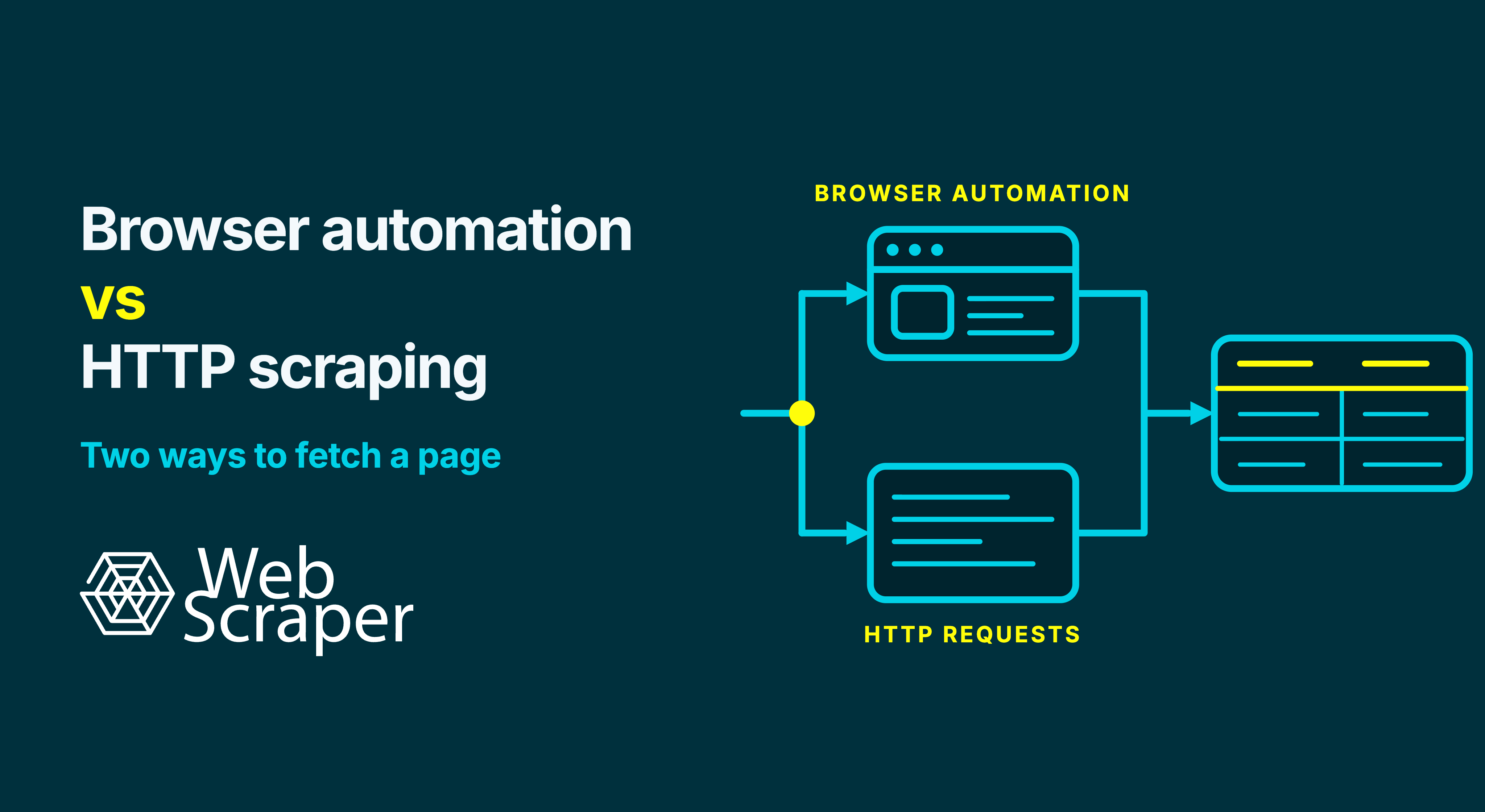
Use HTTP scraping when the response already contains every required record, field and link. Use browser automation when JavaScript or an interaction must create the data or page state first.
The decision should follow the dataset you need, not whether the website merely uses JavaScript. On mixed sites, separate HTTP and browser routes often provide the clearest balance of reliability, scale and maintainability.
Browser automation vs HTTP scraping at a glance
Browsers also communicate over HTTP. In this comparison, HTTP scraping means sending direct requests and processing the returned HTML, JSON or other response without executing the full browser page environment. Browser automation means controlling a browser engine that can execute JavaScript, maintain browser state and interact with the interface.
| Decision point | HTTP scraping | Browser automation |
|---|---|---|
| Best fit | Required data and links are present in a reproducible response | JavaScript, scrolling, clicks or another state change creates the required data |
| Extraction source | Response body | Rendered DOM and browser state |
| Resource use | Usually lower | Usually higher |
| Readiness | Response completion may be enough | Must wait for evidence that the required state exists |
| Main failure surface | Wrong response, status, parsing or session | HTTP failures plus scripts, timing, controls and state transitions |
| Debugging focus | What response arrived? | What state did the browser reach, and which responses created it? |
| Scaling | Generally simpler for independent requests | More execution and coordination per active browser session |
| Correctness risk | Missing client-rendered data or parsing the wrong response | Extracting too early, stopping interactions too soon or using the wrong state |
Choose the least complex method that repeatedly reaches the required state and produces a correct dataset. Neither a rendered page nor an HTTP 200 OK proves that result.
Choose by the required page state
HTTP is a request-and-response protocol, not the opposite of a browser. The useful distinction is how far the scraper must process the application before extraction.
A page can expose three relevant states:
- Initial response: HTML, embedded data or another representation returned by the server.
- Rendered state: the live DOM after scripts and supporting requests run.
- Interaction state: the page after scrolling, clicking, selecting a variant, setting a location or performing another required action.
One e-commerce site may return product links in its HTML, insert prices later and reveal SKUs only after a colour is selected. Calling the whole site “dynamic” does not identify the required runtime.
Define the required state instead. For a product dataset, that may include the selected country and currency, all records beyond the first result page, every relevant variant, and the correct relationship between SKU, price and availability. The architecture question then becomes testable: can a direct response reproduce that state, or must a browser create it?
A completed job is not the same as a correct dataset. An HTTP client can receive an empty application shell with a successful status. A browser can display plausible results while missing later records or using the wrong variant. The guide to diagnosing a 200 response with no useful data separates these failure layers.
How to determine which method a page needs
Test normal records, empty results, discounted products, optional fields and alternative layouts.
1. Define a complete record
Write down what one row represents, which fields are required, how pages should be discovered and which state must be preserved. “Scrape the product page” is vague. “Produce one row per SKU and colour with the current price, availability, source URL and collection time” is measurable.
2. Inspect the initial response
Search the response body for distinctive required values such as an exact SKU, title or price. Check whether the links needed for product details and pagination are also present. If every field and discovery link exists in stable HTML, direct HTTP scraping is a strong candidate.
Data may also be embedded or returned by a structured endpoint. A response visible in the browser is not automatically a public API. Confirm that its use is appropriate, complete and not dependent on fragile tokens or hidden state.
3. Compare the response with the live DOM
Load the same page in a browser and find the required values after it settles. If a value appears in the DOM but not in the original response, JavaScript created or inserted it.
Presence does not prove readiness. If a placeholder price updates later, wait for a valid price for the selected variant, not simply the existence of .price.
4. Inspect supporting requests
The Chrome DevTools Network panel shows the document request and later Fetch or XHR activity. Inspect which response supplies missing data and what state it depends on. Prefer an official API, feed or export when one offers the required coverage under workable terms.
5. Reproduce only the required actions
List the actions that materially change the dataset: loading more results, selecting a market, opening a specification tab or choosing a product variation. Avoid browser automation for decorative widgets or scripts that do not affect the required records.
Use a completion condition connected to the data, such as a valid field value, expected result count, selected variation label or disappearance of a loading state. A generic page-load event or fixed delay does not prove that a modern application has finished producing the required state.
Route from the evidence
| What the test shows | Recommended route |
|---|---|
| All required fields and links exist in the initial HTML | Direct HTTP or Web Scraper Fast |
| Complete data exists in a reproducible, appropriate structured response | Direct retrieval, with stability and permission reviewed |
| JavaScript must create required fields or links | Browser automation or Web Scraper FullJS |
| A click, scroll, location or variant choice changes required data | Browser automation or Web Scraper FullJS |
| Only some page types or fields need browser state | Separate HTTP and browser routes, sitemaps or jobs |
Where each approach works and fails
HTTP scraping is usually the better starting point for complete server-rendered pages, ordinary links, stable URL pagination and suitable official endpoints. Without a browser process and rendering lifecycle, concurrency and retries are generally simpler. Saved responses can be inspected or parsed again offline.
It becomes a poor fit when reproducing the required state means rebuilding much of the application. Explicit cookie, redirect and locale handling can be reasonable. Constantly recreating short-lived tokens, signed requests or long dependent sequences can erase the efficiency advantage and increase maintenance.
Browser automation is justified when the application must execute before the dataset exists. Typical cases include infinite scroll, Load more controls, client-side navigation, location-dependent results and product variations that change the price, stock status or SKU.
Its advantage is fidelity to the application workflow. Its cost is a larger failure surface. Scripts, supporting requests, selectors, controls and state transitions can fail independently. Record output-affecting state such as locale, cookies and storage so recurring runs can reproduce it consistently.
Neither method guarantees access. A browser can still receive a CAPTCHA, login page, consent wall, access-denied response or reduced-content version. Technical retrievability is also separate from permission to collect and use data. Review applicable terms, authentication boundaries, privacy, copyright and law, and do not treat either runtime as a way around access controls.
Use hybrid routing deliberately
Hybrid should mean explicit routing, not sending every failed HTTP request to a browser without diagnosis.
For a product catalogue, only interaction-dependent variants may need a browser. For a job board, a browser might create a filter state and reveal job URLs, while each detail page is retrieved directly.
A dependable hybrid design needs:
- a stable key, such as product URL, SKU or listing ID, shared by both routes;
- clear ownership of each field so one route does not silently overwrite another;
- provenance showing which route and state produced the value;
- deduplication rules at the join point;
- separate monitoring for HTTP and browser failures; and
- an alert when routes disagree on a field they should share.
Treat disagreement as a data-quality incident, not a reason to keep whichever value arrived last. Designing and verifying a workflow in a browser also does not mean every production page must run in one. Use the browser where it contributes required state, then keep the lighter route for compatible work.
Compare the cost of correct data
Compare the operating cost of a correct, maintainable dataset, not one successful page load.
| Operational question | Why it matters |
|---|---|
| How many states and actions must be reproduced? | Every action and readiness condition adds a dependency. |
| Can a failure be replayed from a saved response? | HTTP responses are easier to inspect offline; browser failures may require DOM snapshots, screenshots and state evidence. |
| What limits safe concurrency? | Browser processes and page resources usually require more capacity than response parsing. |
| How often does the target change? | DOM controls and supporting requests both change, but they fail differently. |
| Can the pipeline recognise the wrong page? | A successful status or navigation may still return a challenge, consent page or empty state. |
| Who operates the infrastructure? | Browser fleets add process, dependency and observability work unless a platform manages them. |
There is no defensible universal multiplier for browser speed or cost. Page weight, script activity, waiting, reuse, concurrency and infrastructure all change the result. Benchmark a representative workload and include retries, validation failures and maintenance.
Validate the dataset, not the run status
Imagine a marketplace search with 2,000 expected listings. A browser opens the page, scrolls several times and exports 240 plausible rows without crashing. The run may have stopped because no new cards appeared within one wait interval, not because it reached the final listing.
Validate at three levels:
- Page state: Was the correct market, currency, filter, session or variant selected before extraction?
- Navigation completeness: Did pagination, scrolling and linked-page traversal reach the intended boundary?
- Dataset integrity: Are record counts plausible, required fields populated, stable keys unique and related values taken from the same state?
Distinguish recognised empty results from unexpected empty extraction, preserve final URLs and collection times, and compare representative records with their sources. Browsers create more intermediate states in which incomplete output can look convincing.
Implement the choice with Web Scraper
Web Scraper lets you design the extraction structure on the live site, then choose the Cloud runtime that matches the tested sitemap.
- Use the free browser extension to create and test a sitemap on representative pages.
- Define the record structure, discovery path, selectors and required state before scaling the job.
- Use Fast when the raw HTML contains every required field and navigation link.
- Use FullJS when JavaScript or a browser interaction must create the required state.
- Represent state-changing controls with an Element Click selector and navigation with the appropriate Pagination selector.
- Keep HTTP-suitable and browser-dependent workloads in separate sitemaps or jobs when a hybrid design makes ownership and monitoring clearer.
- Schedule or API-trigger the tested Cloud jobs, then monitor page outcomes and dataset-quality rules rather than completion alone.
Fast cannot run workflows that require scrolling, Element Click, Website State Setup, click-once or click-multiple-times pagination, or pagination links derived from scripts. Those features require FullJS. Conversely, using FullJS when the required data is complete in raw HTML adds browser work without improving the dataset.
Web Scraper is well suited to recurring public-page datasets from e-commerce sites, marketplaces, job boards, directories and real estate sources. It is not the default recommendation for social platforms, LinkedIn or large projects behind login.
For more detail on selecting and validating rendered states, see how JavaScript-rendered content affects web scraping.
Frequently asked questions
Does a website using JavaScript always require browser automation?
No. JavaScript may add interface behaviour while the initial HTML still contains every required field and link. Compare the response with the rendered DOM and choose based on the state your dataset needs.
Can I retrieve a background JSON response instead of rendering the page?
Sometimes. Confirm that the response is complete, stable, reproducible and appropriate to use. Internal endpoints may depend on browser state or temporary tokens and can change without notice. Prefer a suitable official API or feed when available.
Should a failed HTTP request automatically retry in a browser?
No. Diagnose the failure first. A browser can help when JavaScript or interaction must create missing content, but it will not fix an invalid URL, permission problem, access block or broken extraction rule.
Choose the runtime your dataset needs
Start with HTTP scraping when it reliably returns the complete required state. Move the browser-dependent work to browser automation, and use separate routes where the source genuinely needs both.
Build and validate the sitemap first, then try Web Scraper Cloud with Fast, FullJS or separate jobs according to the evidence from your test.