Black Friday price tracking: is the deal worth it?
November 05, 2026
price monitoring, e-commerce data, web scraping, Black Friday, price history
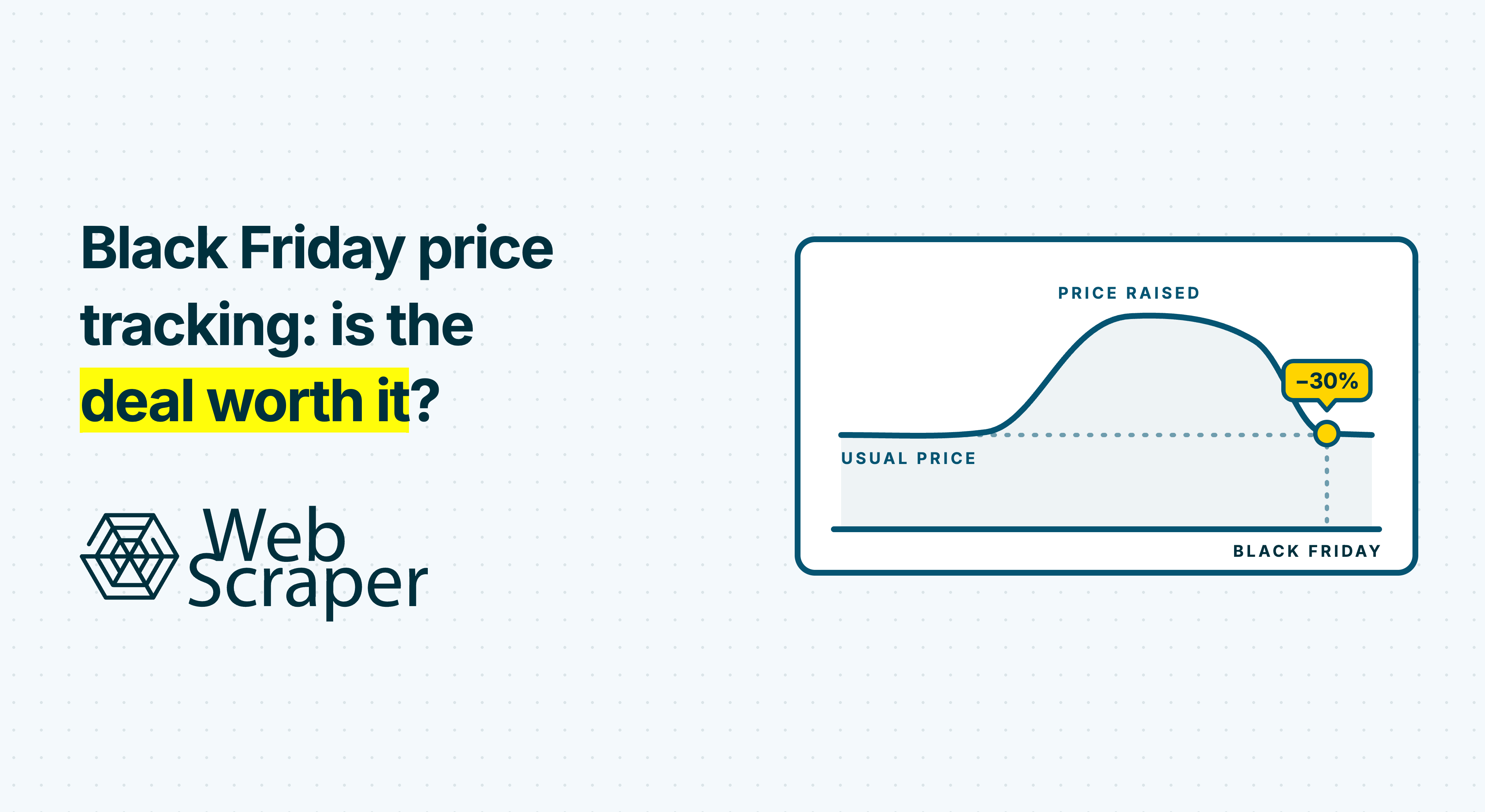
Check a Black Friday discount against the exact product's earlier prices and other sellers' current delivered totals. The percentage beside a crossed-out price tells you how two displayed numbers compare. It does not establish what the product usually cost or whether another shop offers better value today.
Black Friday price tracking gives pricing, procurement and e-commerce teams evidence for that decision. A useful result states the saving, the comparison period and any gaps in the history.
Start with three comparisons
Suppose a shop advertises a coffee machine at 30% off. Before buying it, matching a competitor or reporting a market trend, ask what the reduction is measured against.
| Comparison | Question it answers | Main limitation |
|---|---|---|
| Displayed reference price | How was the headline reduction calculated? | The reference may be a recommended price or another comparison, rather than a previous selling price |
| Earlier prices at the same shop | Is the offer below its observed usual price and earlier observed low? | Your history covers only the times and offer conditions checked |
| Comparable offers at other shops | Is this a competitive price to pay now? | Delivery, tax, availability and eligibility can change the result |
Keep these findings separate. A product can be cheaper than usual without reaching a new observed low. It can reach a new observed low at one shop while another sells it for less.
For a handful of purchases, dated manual checks or a suitable price-history service may be enough. Repeated collection becomes useful when a business needs to watch many products across several shops.
Work through a 30% discount
Consider a fictional coffee machine, model CM-240, in black with its standard accessories. All amounts are illustrative US dollars. The historical observations concern the same new model, variant, accessories and seller, with consistent tax treatment and public purchase eligibility. Each accepted historical observation showed the item in stock.
In this illustration, the shop starts its Black Friday campaign on 1 November. The baseline covers 1 to 30 October, with one check scheduled at 10:00 UTC each day. Two checks failed. Of the 28 valid item-price observations, 22 were $150, three were $160 and three were $135. The median observed price was $150; the lowest observed price was $135.
The Black Friday page now shows a $140 item price and a $200 crossed-out reference. Delivery is $12. A rival offers the same item for $149 delivered, with comparable purchase terms. Both current offers are checked close together, in stock, for the same destination and tax treatment.
| Test | Calculation | Finding |
|---|---|---|
| Reduction from displayed reference | ($200 − $140) ÷ $200 × 100 | 30% |
| Saving against observed median | ($150 − $140) ÷ $150 × 100 | 6.7%, rounded |
| Comparison with earlier observed low | $140 − $135 | $5 higher |
| Current delivered cost | $140 + $12 | $152 |
| Comparison with rival delivered total | $152 − $149 | $3 higher |
An evidence-based assessment would say:
CM-240, black: $140 item price; $152 delivered. This is 6.7% below the observed median and $5 above the observed low. The matched rival is $3 cheaper delivered. Baseline: 1 to 30 October, 28 valid daily checks out of 30 planned. Current offers checked on 1 November at 10:00 and 10:05 UTC. Prices between checks and historical delivery charges are unknown.
A buyer could still prefer the first shop for a documented reason, such as a more suitable delivery date. Keep that reason alongside the price comparison.
Historical savings here concern item prices. Without earlier delivery charges, the example cannot establish a saving on historical delivered totals.
Match the offer before comparing the price
Record the exact model, variant, pack size, condition and included accessories. A retailer SKU identifies a source listing; it does not automatically prove that another retailer's SKU represents the same product. Use a manufacturer model number or GTIN where available, then verify the specifications and package.
Keep the seller fixed within each historical series. A marketplace page can persist while its featured seller changes. Combining those observations without recording the seller creates a history whose subject changes between checks.
Capture public prices, displayed reference prices, member prices and coupon conditions separately. Do not subtract unverified coupons, possible cashback or loyalty points from an ordinary public-price comparison. A refurbished item, subscription or accessory bundle needs its own comparison.
For delivered cost, hold the destination, quantity and tax treatment constant. Add known delivery and compulsory charges consistently. If a charge appears only at checkout and has not been verified, leave the total incomplete rather than treating the charge as zero.
Fix the destination in the collection itself. For a synthetic postcode workflow, use Website State Setup with a Text Input action for the delivery postcode and a Perform when not found selector such as .delivery-postcode:contains('10001'). The sequence runs when that condition does not match; add the required Click action if the shop needs the form submitted. This requires FullJS. A missing required setup element makes the page a Failed page; verify the resulting destination marker before accepting its price. Proxy configuration location can also change currency and prices, so keep it fixed within each series and use Test scrape after changes. Charges exposed only at checkout are outside this workflow, leaving the delivered total incomplete until verified separately.
When a scraper and browser disagree, investigate the selected offer and page state. The guide to why scraped prices differ from browser prices covers that investigation.
Make the historical baseline explicit
State the historical window's start and end, anchored to when the promotion actually begins. A campaign may start before the named Friday. Keep its observations out of a pre-sale baseline, or the sale will gradually change the number you are using to assess it.
For a purchasing assessment, calculate the baseline from valid observations of comparable, eligible, in-stock offers. Retain unavailable and conditional offers separately. A low price on an unavailable item is not evidence that the buyer could purchase it on those terms.
The median of comparable daily observations can provide an observed usual-price reference. The earlier observed minimum establishes whether you have already recorded a cheaper eligible offer. Preserve both so the report shows how the promotion compares with ordinary observations and earlier lows.
Watch for a pre-sale price rise
At a second fictional shop, the synthetic CM-240 history shows $150 from 1 September to 14 October and $175 from 15 to 30 October, with one valid daily check throughout. It then advertises $150 as a Black Friday reduction.
The synthetic 30-day window, 1 to 30 October, contains 14 checks at $150 and 16 at $175. Its median is $175, giving a calculated saving of ($175 − $150) ÷ $175 × 100 = 14.3%, rounded. The synthetic 60-day window, 1 September to 30 October, contains 44 checks at $150 and 16 at $175. Its median is $150, giving a saving of 0%.
| Synthetic window | Median | Saving at $150 |
|---|---|---|
| 30 days: 1 to 30 October | $175 | 14.3%, rounded |
| 60 days: 1 September to 30 October | $150 | 0% |
Report the change in price level inside the baseline window alongside the result. Comparing two window lengths makes the run-up visible without establishing why the shop raised its price.
Define the sampling rule. Checking daily before a campaign and hourly during it gives the busy period more influence if every row enters one median. Keep a consistent baseline sample or document a deliberate aggregation rule. A snapshot median is not a transaction-weighted average or proof of what customers paid.
Report coverage with the result. Even 30 successful daily checks could miss an intraday promotion. Use “lowest observed price in this window”, with its dates and gaps, rather than “lowest ever”.
If monitoring starts late, retain the shorter history honestly. Scraping today's page cannot recreate earlier prices that the page no longer exposes. Check the identity, dates and coverage of any existing historical source before combining it with your own observations.
Keep the EU prior-price rule separate
For announced reductions on goods sold to consumers in the EU, the general rule defines the prior price as the lowest price applied by that trader during at least the 30 days before the reduction. The Court of Justice confirmed that announced percentage reductions must use that baseline. Offer type and national exceptions matter; the rule is not a universal standard for every country or business purchase.
Your observed median and a market-wide minimum answer different questions. A sampled low can also miss a lower price between checks. Store any retailer-labelled prior price separately from your calculations, and flag discrepancies for review. The Commission's Article 6a guidance explains the scope and exceptions.
Collect the evidence with Web Scraper
Build and test a sitemap for each source in the Web Scraper browser extension. Select the product identifiers, seller where relevant, prices, promotion conditions and availability. Test ordinary, discounted and unavailable products, including the variants you intend to compare. Validate a small Cloud run before scheduling wider collection.
Configure a product watchlist
Import the watched CM-240 product URLs as multiple start URLs. Each starts from _root. The following selector tree is synthetic; adapt every selector to the relevant shop.
_root
├── product_name      Text: h1
├── model             Text: .spec-model
├── gtin              Element attribute: meta[itemprop="gtin13"], content
├── seller            Text: .sold-by
├── price_raw         Text: .price-current
├── reference_raw     Text: .price-was
├── member_price_raw  Text: .price-member
├── promo_text        Text: .promo-message
├── availability      Text: .stock-status
└── delivery_raw      Text: .delivery-cost
Set the Text selectors to First Record Only for these individual product fields. Text selectors return text without HTML tags. For the non-visible GTIN meta element, type the CSS selector manually and set Attribute name to content. A missing attribute returns an empty value, which needs validation downstream. Carry the source URL from the watchlist into the downstream record.
Keep each price-related value in its own column. The public price, displayed reference, member price and coupon wording have different meanings. Selecting all amounts into one field would lose the distinction before any calculation begins.
For campaign discovery, a synthetic category-page tree can collect repeated product cards:
_root
└── pagination        Pagination: a.next (Link; recursive)
    └── product       Element: .product-card (Multiple)
        ├── name         Text: .product-name
        ├── price_raw    Text: .price-current
        └── product_url  Element attribute: a.product-link, href
Place the listing Element selector beneath the recursive Pagination selector and validate page 2. Within each product card, extract the name, price and product link together. Use the Link pagination type when the next-page element exposes a usable link; validate the appropriate click type when it does not. Resolve relative href values against the source page URL downstream before adding them to the watchlist.
Listing pages can be cheaper to check frequently: one processed listing page uses one URL credit, regardless of how many product records it returns. Campaign listings also reveal bundles and new SKUs that have no matching history yet. Label those offers “insufficient history”. A listing price may omit the member condition, seller or selected variant, so verify it against the detail page before using it as a comparison price.
Turn price wording into numbers without losing the original
Keep price_raw unchanged in the export. Create a Virtual column from that raw source value and apply the relevant Parser steps to the copy. Virtual columns use raw source values, so parsing the source column does not supply its transformed value to a Virtual column.
The following price strings and outputs are synthetic. Flags, eligibility decisions and conversion to a numeric database type happen downstream.
| Synthetic raw value | Parser step | Output | Note |
|---|---|---|---|
$1,299.00 | Two Replace text steps: remove , and $, with Use Regex off | 1299.00 | Numeric-looking text; convert to a decimal amount downstream |
From $140 | Regex match ([0-9.,]+), Groups 1 | 140 | Flag as a starting price downstream; it does not establish the black CM-240 price |
$140 – $160 | Regex match ([0-9.,]+), Groups 1, Multiple on, Separator set to a newline | 140\n160 | The output contains two values separated by a newline; resolve the range to the selected variant downstream |
4 payments of $35 | Preserve the raw text; do not populate the accepted full-price column from the first numeric match | Blank full price; instalment flag downstream | Do not turn the instalment into a $35 product price |
Was $200 Now $140 | Two Virtual columns from the same raw value: Regex match Was\s+\$([0-9.,]+) and Now\s+\$([0-9.,]+), each with Groups 1 | Reference 200; current 140 | Parse the two meanings separately; neither Virtual column depends on the other's output |
Extra 10% off at checkout | Preserve as promo_text; no reduction applied to the public price | Original promotion wording | Verify eligibility and application separately before deducting anything |
See price in cart | Numeric Regex match produces no amount | Blank numeric value | Exclude from price calculations with a reason; preserve the raw wording |
Enter Regex expressions without surrounding / characters. In the range output above, \n denotes an actual newline separator. Add + Add time scraped, choose UTC and an explicit date-and-time format, then validate the output. Parser preview shows 10 records by default and can show up to 100; also inspect a downloaded sample covering these different price forms.
Choose the driver from the tested workflow. Fast reads returned HTML; FullJS executes JavaScript and supports interaction-dependent workflows. Test the same driver and regional or visitor state that the scheduled job will use.
Use the Scheduler to repeat the validated collection. Start before the campaign and continue afterwards if you need to establish whether its price persists. Choose frequency from the shortest offer you need to detect, source access constraints and measured runtime.
If the previous scheduled job for a sitemap is still running, the next run waits. An hourly schedule can therefore leave longer gaps between observations. Record actual collection times and check that completed data arrives soon enough for someone to act.
Plan campaign-week frequency and its cost
For a synthetic 200-product watchlist, assume each detail run processes exactly 200 pages and each listing run processes exactly 10 pages, including any pagination counted in that total. These are URL-credit budgets, not dollar subscription quotes.
| Synthetic workload | Calculation | URL credits |
|---|---|---|
| Daily detail checks for the 30-check October baseline | 200 × 30 | 6,000 |
| Hourly detail checks from 24 to 30 November, inclusive | 200 × 24 × 7 | 33,600 |
| Hourly checks of 10 campaign listing pages over the same week | 10 × 24 × 7 | 1,680 |
The October calculation covers 30 checks. Checking all 31 October dates would use 6,200 credits in this synthetic example. A listing page returning 100 products still uses one credit; visiting 100 separate detail pages uses 100.
Use a Custom Cron expression to restrict the higher frequency to campaign dates, or run a copy of the sitemap with its own campaign schedule alongside the daily one. In the selected scheduler time zone, 0 * 24-30 11 * expresses an hourly schedule on 24 to 30 November. Disable the seasonal schedule afterwards if it should not recur in later years. Apply the article's daily baseline sampling rule downstream so the extra campaign observations do not gain extra weight.
If the daily 200-page job continues alongside the campaign copy, include its additional 200 × 7 = 1,400 credits for that week in the synthetic budget. That gives 35,000 credits for hourly details plus daily details, or 3,080 for hourly listings plus daily details.
Check scraping duration in the job's Details tab; it excludes queue time. In a synthetic runtime check, a 75-minute job allows about 1,440 ÷ 75 = 19.2 runs per day, or roughly 19, even with an hourly schedule. Queue time and other delays can reduce that further. Compare intended frequency with actual timestamps before relying on the credit budget or campaign coverage.
Test scrape processes up to 500 links without using URL credits. Automatic retries of Empty and Failed pages do not use extra credits. Project and Professional have monthly URL-credit allowances; Scale has unlimited URL credits. Execution time and available scheduling capacity still determine how frequently the watchlist can actually be checked.
Rate limits, access blocks and changed page layouts can interrupt collection. Allow time to test and maintain sources before the campaign depends on them.
Automatic export can deliver completed job datasets to a supported destination. Your downstream spreadsheet, database or application preserves the observations, matches products, calculates baselines and sends commercial alerts. The price history dataset guide covers the storage and processing design. Review source access rules, terms and applicable law for the intended collection.
Calculate the article's table from the export
The following six-row synthetic sample represents a downstream table assembled from exported fields, the expected watchlist and page outcomes. status is your acceptance label, not the Cloud job status. Add failed-check rows downstream when no product record was extracted; leave their price and observation timestamp blank. The GTIN below is an invented synthetic identifier, not a verified manufacturer assignment.
| sku | gtin | seller | price_raw | price | reference_raw | availability | time_scraped | status |
|---|---|---|---|---|---|---|---|---|
| CM-240-BLK | 0000000000246 | Retailer A | $150.00 | 150.00 | in_stock | 2026-10-08T10:00:00Z | accepted | |
| CM-240-BLK | 0000000000246 | Retailer A | failed | |||||
| CM-240-BLK | 0000000000246 | Marketplace seller B | $160.00 | 160.00 | in_stock | 2026-10-08T10:00:00Z | different_seller | |
| CM-240-BLK | 0000000000246 | Retailer A | $135 members | 135.00 | in_stock | 2026-10-08T10:00:00Z | conditional_member | |
| CM-240-BLK | 0000000000246 | Retailer A | $140.00 | 140.00 | $200.00 | in_stock | 2026-11-01T10:00:00Z | accepted |
| CM-240-BLK | 0000000000246 | Retailer B | $149 delivered | 149.00 | in_stock | 2026-11-01T10:05:00Z | accepted |
For this synthetic sample, the failed check belongs to the 7 October watchlist run. The rival's $149 total includes delivery; Retailer A's $12 delivery charge is retained separately from its item price. The six rows are an excerpt, so they cannot by themselves reproduce the 28-day baseline.
The PostgreSQL example below generates the complete synthetic October history for Retailer A: three $135 observations, three $160 observations, 22 $150 observations and two failed checks. Its final two steps are the downstream calculation to apply to the corresponding typed export table. The other sample rows are outside the accepted seller, status or date scope.
-- Synthetic fixture: 30 planned checks, with failures on 7 and 21 October.
WITH synthetic_export AS (
    SELECT
        'CM-240-BLK'::text AS sku,
        '0000000000246'::text AS gtin,
        'Retailer A'::text AS seller,
        CASE WHEN n IN (7, 21) THEN NULL
             WHEN n <= 3 THEN 135
             WHEN n <= 6 THEN 160
             ELSE 150 END::numeric AS price,
        CASE WHEN n IN (7, 21) THEN NULL
             ELSE 'in_stock' END AS availability,
        CASE WHEN n IN (7, 21) THEN 'failed'
             ELSE 'accepted' END AS status,
        CASE WHEN n IN (7, 21) THEN NULL
             ELSE (TIMESTAMP '2026-10-01 10:00:00'
                   + (n - 1) * INTERVAL '1 day')
                  AT TIME ZONE 'UTC' END AS time_scraped
    FROM generate_series(1, 30) AS days(n)
), daily AS (
    -- One accepted 10:00 UTC observation per product, seller and day.
    SELECT *, ROW_NUMBER() OVER (
        PARTITION BY sku, gtin, seller,
                     (time_scraped AT TIME ZONE 'UTC')::date
        ORDER BY time_scraped
    ) AS rn
    FROM synthetic_export
    WHERE status = 'accepted' AND availability = 'in_stock'
      AND price IS NOT NULL AND seller = 'Retailer A'
      AND time_scraped >= TIMESTAMPTZ '2026-10-01 00:00:00+00'
      AND time_scraped < TIMESTAMPTZ '2026-10-31 00:00:00+00'
      AND (time_scraped AT TIME ZONE 'UTC')::time = TIME '10:00:00'
)
SELECT sku, gtin, seller, COUNT(*) AS valid_days,
       (PERCENTILE_CONT(0.5) WITHIN GROUP (ORDER BY price))
           ::numeric(12, 2) AS median_price,
       MIN(price) AS observed_minimum,
       CASE WHEN COUNT(*) < 20 THEN 'insufficient history'
            ELSE 'baseline available' END AS history_label
FROM daily
WHERE rn = 1
GROUP BY sku, gtin, seller;
The synthetic result is:
| Synthetic valid_days | Median price | Observed minimum | History label |
|---|---|---|---|
| 28 | $150.00 | $135.00 | baseline available |
The 20-day threshold is an illustrative downstream rule, not a Web Scraper default or proof of complete coverage. Treat a missing aggregate row as zero valid days and label it “insufficient history”. The fixture places observations exactly at 10:00 UTC. In production, assign observations to the intended daily run or sampling slot downstream; do not assume every page in a long-running job was observed at its scheduled start time.
Using those synthetic outputs, (150 − 140) ÷ 150 × 100 gives the rounded 6.7% saving; 140 − 135 gives $5 above the observed low; and (140 + 12) − 149 gives $3 above the rival's delivered total. The displayed-reference calculation remains (200 − 140) ÷ 200 × 100 = 30%.
To trigger the downstream calculation, accept the form-encoded webhook and, on a finished status, queue its scrapingjob_id, return 2xx within 10 seconds, and download the data through the API using that ID. The webhook contains job metadata, not the dataset. Skip an ID already processed successfully; keep failed imports retryable. Retries and Continue can deliver the same job again, so make ingestion idempotent. If a continued job needs to supply additional records, handle that as an explicit refresh that replaces or upserts the job's records, rather than appending them twice.
Treat missing evidence as unknown
A blank price is not a zero-dollar offer. A failed page establishes no current price or availability.
Web Scraper's Data quality control can check record counts, failed and empty pages, and required-field population. Add your own checks for product identity, seller, currency and price meaning. A populated field can still contain an instalment amount or a neighbouring product's price.
The synthetic failure scenarios below show what to inspect during a campaign. Their outcomes depend on what the page returns and which selectors match.
| Synthetic Black Friday failure | How it can appear | What to check |
|---|---|---|
| Queue or waiting-room page during peak traffic | Empty pages, or a populated name field with blank prices | Inspect the returned page and any screenshot on a FullJS job; confirm that the product page was reached |
| Campaign template moves the price beneath a new badge or banner | Price-field population drops and the Minimum % of fields that must be filled check may fail; a wrong neighbouring price can remain populated | Recheck selector scope on promotional layouts and compare the raw price with the intended product |
| Flash deal sells out | Availability changes; a URL returning 404 becomes an Empty page | Separate a confirmed stock change from a missing page or missing record |
| Access challenge under load | 403, 429 or CAPTCHA as Failed pages, increasing the failed-page percentage | Inspect the failure reasons and the Maximum failed page % result |
| Destination setup cannot find a required element | Failed page during Website State Setup | Check the postcode input, submission action and resulting destination marker before accepting another observation |
Fast jobs do not produce screenshots. For FullJS inspection cases, use available screenshots and HTML alongside the returned records.
Email notifications for Scraping job fails and Data quality fails for a scraping job are sent at most once every six hours per sitemap. This is a notification rate limit: a morning failure following an earlier email can receive no fresh email for hours. Cloud notifications have no corresponding limit, so use them and the job table for the campaign view. Test sitemaps against preview campaign pages where a shop publishes them early. A Data quality failure does not change a technically completed job into a failed job.
Retain invalid observations with a reason and exclude them from price calculations. Keep the last accepted price as dated historical evidence when a new check fails; it does not establish that the offer remains available. Use an “insufficient history” label when the series cannot support a historical assessment.
Before acting on a large change, recheck the intended source offer. Give the reviewer its URL and observation time, exact product and seller, raw offer wording, current amount and known charges, baseline dates and coverage, observed low and current alternative. Configure the source fields in your sitemap and calculate the comparisons downstream.
Use Web Scraper's competitor price monitoring workflow to validate a small watchlist before scheduling a full category.