Browser fingerprinting and bot detection explained
August 27, 2026
bot detection, Browser fingerprinting, Scraper troubleshooting
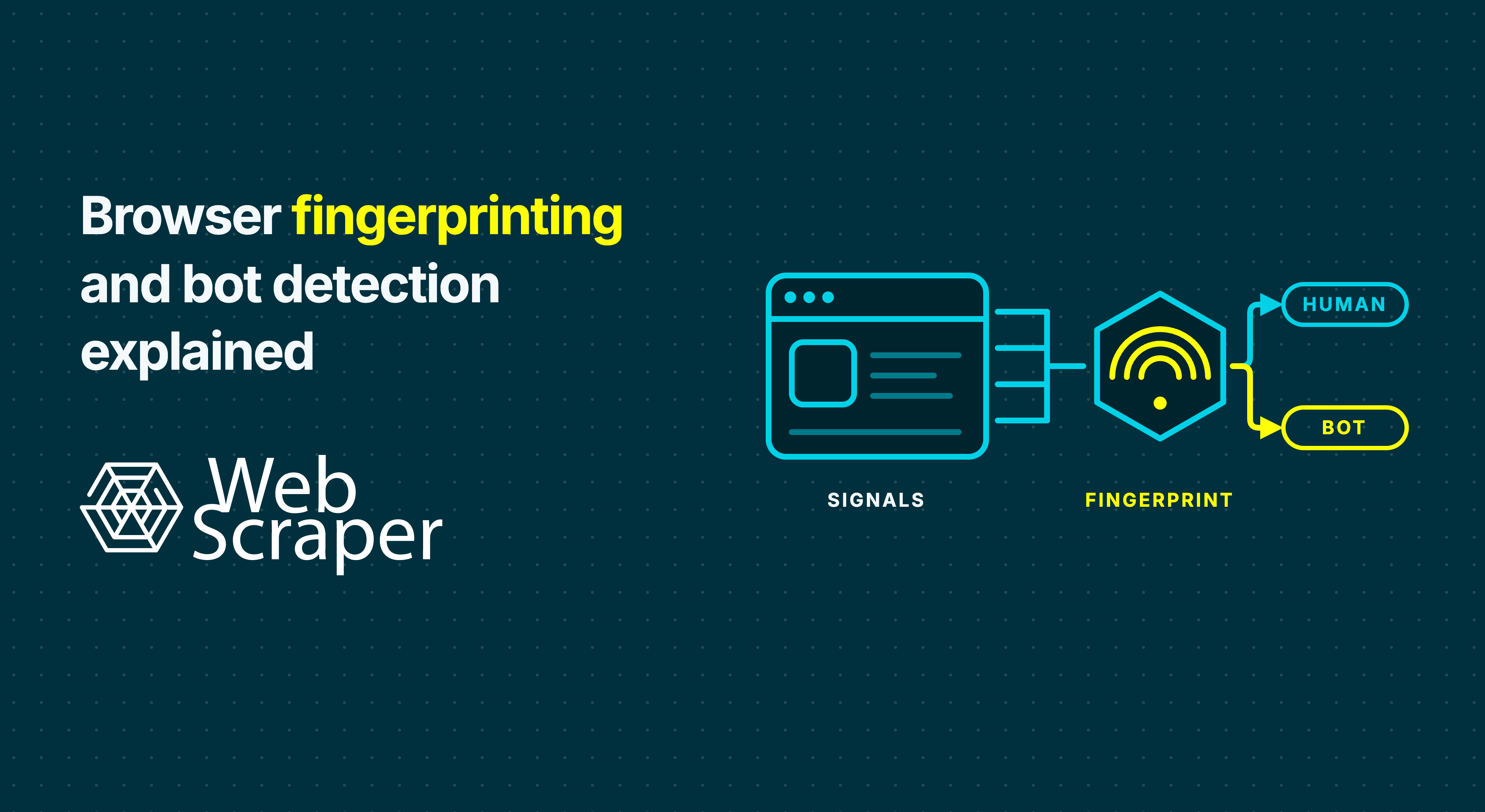
Browser fingerprinting lets a website observe and combine characteristics of a request, browser, device and session. In bot detection, those characteristics are usually evidence within a wider classification process, not one magic identifier.
That is why changing an IP address or user-agent string may not fix a blocked scraper. The transport, JavaScript environment, automation state, session history or request behaviour can still look automated, and a successful response can still contain the wrong page.
Browser fingerprinting is not the same as a cookie
A cookie is a value that a server sends to a browser, which may store it and return it with later requests. A browser fingerprint is derived from characteristics the client exposes. The W3C definition covers identifying or re-identifying a user, user agent or device through configuration settings and other observable characteristics.
| Question | Cookie | Browser fingerprint |
|---|---|---|
| Where does the identifier come from? | The site sets or receives stored state | The site derives a result from observed characteristics |
| Does it require client-side storage? | Usually | Not necessarily |
| Does clearing it remove the signal? | Clearing the relevant cookie removes that stored value | The environment can expose similar characteristics again |
| How can it help bot detection? | Connect requests to a session or prior activity | Describe or classify the client and reveal inconsistencies |
A fingerprint does not have to identify one unique device to be useful. A detection system can ask a narrower question: do the signals describe a coherent, plausible client, or do they increase the likelihood that the request is automated? A rare fingerprint is not automatically a bot, and a common fingerprint is not proof of a human.
How browser fingerprinting becomes a bot-detection decision
The W3C separates passive fingerprinting, based on characteristics visible in web requests, from active fingerprinting, which runs JavaScript, CSS or other code to observe more of the client. Bot detection can combine both with network history and behaviour.
No single layer has to prove automation. Each can add or remove confidence.
| Signal layer | What it can reveal | Useful diagnostic question |
|---|---|---|
| Request and headers | Client claims, formats, language and navigation context | Do the declared values agree with one another? |
| TLS and transport | Connection negotiation and protocol characteristics | Does the connection resemble the claimed client? |
| Browser and device | Runtime features, screen, locale and graphics properties | Does JavaScript observe a coherent environment? |
| Automation artefacts | Browser state associated with automated control | Are standard or implementation-specific automation indicators exposed? |
| Network | Address history, network type, location and traffic concentration | Does the failure follow the route or region? |
| Behaviour and session | Rate, sequence, timing and state continuity | Does a plausible request become an implausible journey? |
Request and header signals
Before a page runs JavaScript, the server can inspect the request method, headers and navigation context. The User-Agent header declares a browser and operating-system profile, while language, encoding and client hints provide more context.
The relationship between values often matters more than one value. Replacing only User-Agent changes one statement, not the rest of the request or browser environment.
TLS and transport signals
An HTTPS connection begins with a TLS handshake. The client offers protocol versions, cipher suites, extensions and application protocols in repeatable ways determined partly by its networking stack. These choices can form a transport fingerprint before the later application data is exchanged.
This can expose a mismatch between the browser claimed in HTTP and the software making the connection. Protocol behaviour, including HTTP/2 or HTTP/3 use, adds another layer. Web Scraper's article on transport-layer fingerprinting and HTTP/3 examines that part in more depth.
Browser, device and automation signals
When a site executes code in the client, it can observe properties such as timezone, language, screen dimensions, available fonts, codecs and graphics behaviour. These are legitimate web capabilities with privacy implications, not dedicated bot APIs. Their combined outputs can nevertheless describe a browser environment.
Browser automation can expose additional differences. For example, navigator.webdriver is a standard property indicating that a user agent is controlled by WebDriver. It is one understandable example, not a complete verdict. Privacy protections can also reduce or alter exposed values, so an unusual result must not be treated as conclusive by itself.
Network, behaviour and session signals
The source IP address can be assessed using its recent history, network owner, hosting classification, location and traffic concentration. A proxy changes this network layer. It does not automatically change request headers, the JavaScript-visible environment, automation state or behaviour.
Detection can also evaluate what happens across requests: request rate, navigation order, repeated timing, cookie continuity and page transitions. Interactive behaviour may contribute to some implementations, but the exact features and their weight vary by site and protection system. This is why isolated requests may succeed while a longer run degrades, and why changing identity on every page can break a session that should remain coherent.
From signals to an action
Some protections use explicit rules, some use statistical or machine-learning models, and many combine approaches. A typical process is:
- Collect request, network, browser and session evidence.
- Compare individual features and cross-layer consistency with expected traffic.
- Assign a category or risk score for the request or session.
- Apply a site-specific action, such as allow, observe, reduce content, rate-limit, challenge or block.
Thresholds can differ by route. A public category page and a sign-in flow do not carry the same risk, so one client may access one part of a site normally and fail on another. A successful test on one URL is therefore weak evidence for a complete recurring job.
Why changing the IP address or user agent may fail
Changing an IP address addresses network identity and reputation. Changing User-Agent edits one declared request value. Neither action proves that the transport, JavaScript environment, automation state and session behaviour now describe the same client.
Treat each change as a hypothesis:
- If raw HTML lacks records but a normal rendered page contains them, test JavaScript execution.
- If the same workflow succeeds locally but fails from one remote route, test the network or location variable while holding the sitemap and pace constant.
- If later pages fail after an initially healthy run, inspect rate, session and navigation evidence.
- If the intended content exists in the rendered DOM, test the selector before changing access infrastructure.
Ask whether the failure follows the route, session, page type, workload rate or extraction logic. The guide to proxy management for web scraping covers this controlled approach in more detail.
Common symptoms and what they actually prove
| Symptom | What it establishes | What to inspect next |
|---|---|---|
Repeated 403 or explicit access-denied page |
The server refused the request | Response body, credentials or permission, route and stop conditions |
429 Too Many Requests |
The current traffic was rate-limited | Retry-After, aggregate request rate and retry policy |
| CAPTCHA or browser-check page | A challenge was served | Final URL, title, body markers, screenshot and supporting requests |
200 OK with zero records |
Only HTTP-level success | Whether the body is a challenge, shell, valid empty page or changed template |
| Data appears locally but not remotely | The execution contexts differ | Route, region, session, browser execution and returned representation |
| Normal record count but missing key fields | Dataset quality changed | Field completion, page variants, supporting requests and selectors |
| Retrying makes the failure worse | The cause may be persistent or the retry policy excessive | Stop the loop and preserve the first failure evidence |
None of these symptoms proves browser fingerprinting on its own. A 403 is a refusal, while a 429 is specifically a rate signal. A 200 response may contain the intended page, a challenge, a login screen or an application shell. Use the canonical workflow to diagnose a 200 OK response with no useful data before escalating infrastructure.
Diagnose the failed layer before choosing a response
1. Define a correct result
Write down the expected page type, record-count range, required fields, region or currency, and any permitted page state. A completed job is not success if it produces an incomplete or wrong-region dataset.
2. Capture a representative baseline
Test normal records, legitimate empty results, alternative layouts and later pagination. Record the requested and final URL, status, content type, page title, body size, challenge markers, screenshot, relevant Fetch or XHR outcomes, extracted record count and required-field completion.
Keep sensitive state out of diagnostics. Redact authorisation headers, cookies, tokens and unnecessary personal information before saving or sharing traces.
3. Locate the first divergence
Compare the failing run with a known-good result in this order:
- Access: Did the intended response arrive, or was it refused, redirected or challenged?
- Rendering: Does raw HTML contain the data, or does JavaScript create it later?
- Interaction: Did a permitted click, scroll, selection or pagination action reach the required state?
- Extraction: Do selectors match the populated DOM and return values?
- Validation: Do counts, field completion and business rules meet the dataset contract?
This order prevents an expensive routing change from being used to retry a broken selector.
4. Change one variable at a time
Keep the URL sample, sitemap and acceptance checks fixed. Compare raw extraction with FullJS only when JavaScript or interaction is required. Compare network routes only when evidence points to reputation, location or remote execution. Adjust request pace when rate or load signals justify it. Re-test selectors when the correct DOM is already present.
Fast does not run workflows that require page JavaScript, clicking, scrolling or script-driven navigation. Driver choice should follow the state the dataset requires, not an assumption that a browser automatically looks human.
5. Validate over the intended schedule
A five-page success does not establish that a daily catalogue run will remain correct. Run a bounded pilot across representative page types and compare it with a trusted baseline. Track page-type matches, record counts, required-field completion, duplicates, failed and empty pages, and later pagination.
For recurring jobs, monitor drift as well as hard failure. Falling records per page or a rising share of missing prices may expose a new page variant before the job fails completely. Quarantine output that falls outside its acceptance rules.
Improve reliability without turning diagnosis into circumvention
The responsible response reduces uncertainty and unnecessary traffic:
- Prefer a supported API, feed, export or published sitemap when it satisfies the data requirement.
- Review permission, terms, privacy, copyright and applicable law for the specific collection. The Robots Exclusion Protocol is a crawler preference mechanism, not access authorisation.
- Minimise duplicate URLs, bound pagination and retries, and collect incrementally where possible.
- On
429, pause and followRetry-Afterwhen supplied. Review the combined effect of request rate and concurrency instead of rotating around a rate limit. - Preserve coherent sessions when permitted state is required. Unnecessary changes to location, cookies or network identity can create new inconsistencies.
- Use browser execution when the page genuinely requires JavaScript, not as a generic answer to every empty result.
- Treat repeated
403responses, explicit refusals or a request from the site owner as reasons to stop and review the workflow. - Avoid fingerprint spoofing, CAPTCHA-solving and simulated-human-behaviour recipes. They are brittle, obscure the original failure and may cross a site's access boundary.
False positives and privacy still matter
Fingerprinting and bot detection are probabilistic. A privacy-hardened browser, enterprise proxy, disabled capability or unusual device can look atypical without being malicious. A protection system may therefore challenge a legitimate user or permitted automation when its threshold favours caution.
Browser fingerprints can also be used to correlate activity, which creates privacy concerns beyond bot detection. Retain only the diagnostic information needed for a legitimate operational purpose. A status, redacted response marker and dataset-quality measures are often more appropriate than raw cookies, tokens or a detailed device profile.
Where Web Scraper fits
Web Scraper provides a test-first path from page logic to a monitored dataset:
- Build the extraction workflow with the free Web Scraper browser extension. Test selectors, pagination and permitted interactions on a varied local sample.
- Move the tested sitemap to Cloud and run a small remote pilot before scheduling the full workload. The Cloud API launches an existing sitemap; it is not an arbitrary URL-in, dataset-out API.
- Use Fast for data already available in raw HTML. Use FullJS when the required state depends on JavaScript or interaction. FullJS is a rendering choice, not a guarantee against bot controls.
- Inspect failed, empty and no-value pages in Web Scraper Cloud. Compare FullJS screenshots and page outcomes with the local baseline.
- Configure data-quality controls for record count, failed and empty pages, and required-field completion before automating delivery.
This workflow is strongest for repeatable datasets from accessible public e-commerce sites, marketplaces, directories, job boards and real estate pages. Social platforms, LinkedIn, large behind-login projects and workflows that conflict with a site's access rules are not its default fit.
Treat suspected fingerprinting as a data-quality problem
The most useful question is not “Which fingerprint caused the block?” but “At which layer did the workflow stop producing the intended dataset?” Start with the returned page, required state and extracted records. Then test rendering, session, route and workload variables in a controlled order.
That process will not make every site suitable for scraping. It will show whether the correct response is a sitemap repair, a rendering change, a lower-impact schedule, an authorised alternative source or a decision to stop. For recurring business data, that is more valuable than a temporary configuration that appears to work without explaining why.