Web crawling vs web scraping vs data extraction
August 09, 2026
data extraction, data pipelines, web crawler, web data, scraping workflows, Data collection
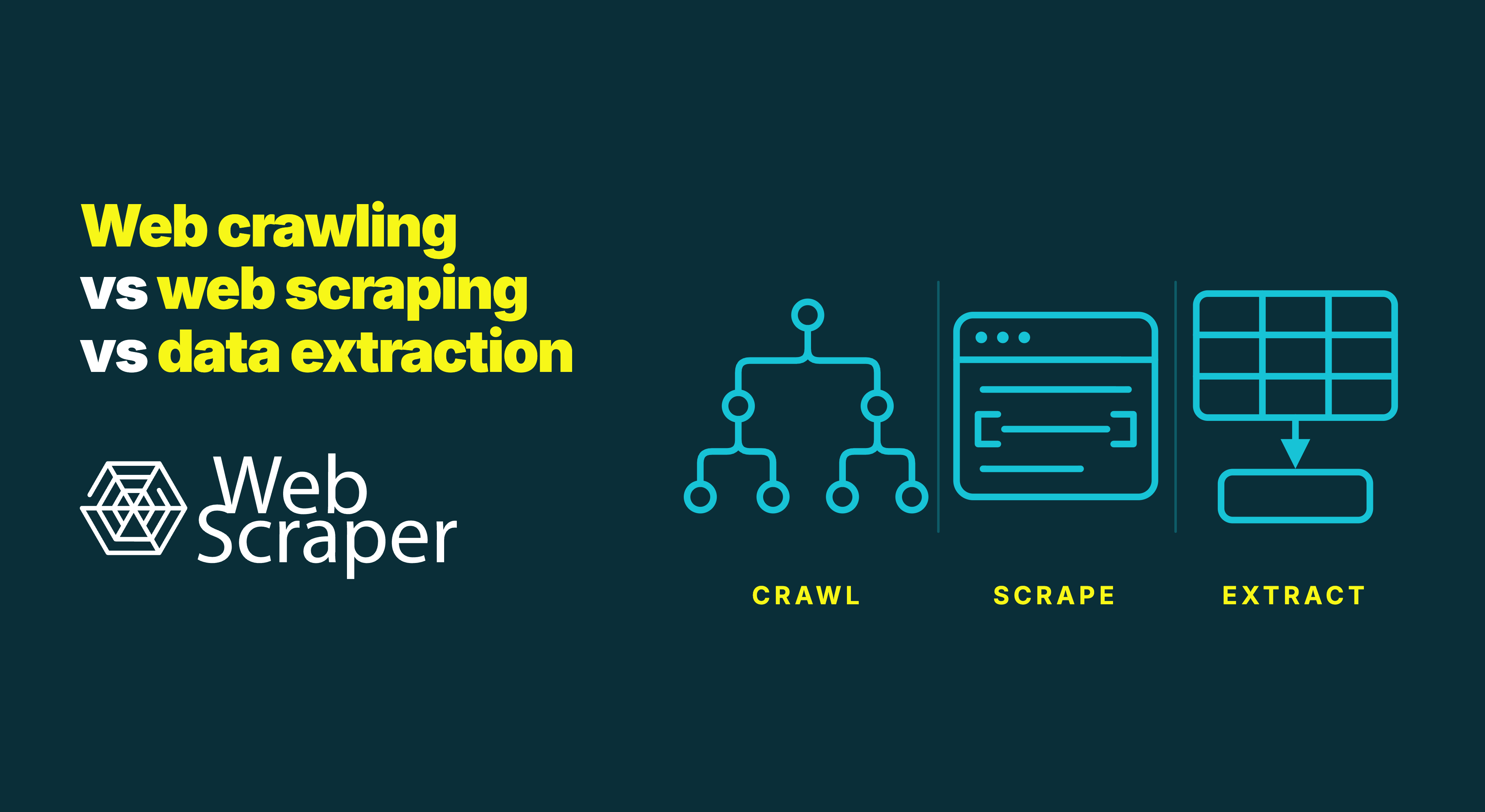
Web crawling discovers and schedules pages. Web scraping collects content or data from websites. Data extraction selects the required values from a source and maps them into fields or records.
The boundaries are useful, but the terms are not three universally standardised steps. In practice, web scraping often names the complete workflow, including discovery, retrieval, browser interactions and extraction.
The distinction matters when something goes wrong. A project can reach every intended URL but extract the wrong price. It can also extract perfect records from only 60 per cent of the intended pages. Both jobs may report that they finished, but they have different failures.
In short: Crawling determines which pages should be visited. Web scraping automates the collection of content or data from websites and often includes crawling and extraction. Data extraction maps required values from web or non-web sources into fields or records. Measure URL coverage, page retrieval and field accuracy separately.
Web crawling vs web scraping vs data extraction at a glance
| Process | Main question | Typical input | Typical output | Common mechanisms | Primary quality measure |
|---|---|---|---|---|---|
| Web crawling | Which pages should be visited? | Seed URLs, links, sitemaps, feeds or known URL patterns | A deduplicated queue, URL inventory, page corpus or link graph | Link discovery, pagination, URL filtering, prioritisation and revisit rules | Coverage |
| Web scraping | How should the required website content or data be collected? | One URL, a supplied URL list or pages discovered during the job | Raw HTML, rendered page states, captured responses or structured records | HTTP requests, browser rendering, scrolling, clicking and extraction rules | Successful collection of the intended content and state |
| Data extraction | Which values should be taken from the source? | HTML, DOM, JSON, text, tables, PDFs, APIs, databases or stored files | Fields, records and structured datasets | CSS or XPath selectors, parsers, rules, patterns and models | Field-level correctness |
The processes overlap. A crawler must retrieve a page before inspecting its links, while a scraper may crawl to find pages and extract fields from them. Data extraction is wider than web scraping because it also operates on non-web sources. Treat them as responsibilities requiring different controls and quality checks, not necessarily separate tools.
What is web crawling?
Web crawling is the systematic discovery and traversal of web pages or other web resources.
A crawler normally begins with one or more seed URLs. It retrieves a page, identifies links or other target URLs, adds eligible URLs to a queue and repeats the process. In information retrieval, that queue is commonly called the URL frontier. Stanford’s Introduction to Information Retrieval describes crawling as traversal of the web graph.
A basic crawl loop looks like this:
- Add one or more seed URLs to the queue.
- Retrieve the next eligible URL.
- Discover links or other target URLs in the response.
- Normalise, filter and deduplicate the discovered URLs.
- Add eligible URLs to the queue.
- Continue until the required scope is covered or a stopping rule is reached.
URLs can come from ordinary links, pagination, XML sitemaps, feeds, known patterns or browser interactions. Crawling also supports site audits, monitoring, archiving and commercial data collection.
Crawling is mainly a coverage problem
A crawler must reach the required pages without disappearing into irrelevant or effectively infinite URL spaces. Common problems include:
- Faceted navigation that creates thousands of filter combinations
- Calendars with no practical end date
- Session IDs, tracking parameters and duplicate paths
- Pagination links that appear only after JavaScript runs
- Product variants or other states that do not have separate URLs
- Links outside the permitted domain or project scope
Useful controls include allowed domains, path and parameter rules, URL normalisation, duplicate handling, crawl depth and stopping conditions. Following every visible link is a method, but rarely a good strategy.
An XML sitemap can simplify discovery, but it does not prove complete coverage. Google describes sitemaps as a way to help search engines discover important URLs, not as a guarantee that every relevant page is present or will be processed.
Not every scraping project needs a crawler
If a current URL list already comes from a database, supplier feed, official API or previous job, a scraper can proceed directly to those pages. A business monitoring 50,000 known product URLs needs to revisit them for current prices. It does not necessarily need to rediscover the catalogue every morning.
Crawling is not indexing
Crawling discovers and retrieves resources. Indexing analyses their content and stores information so it can be searched or retrieved later.
Google presents crawling and indexing as separate stages. A page can be crawled without being indexed, and a crawler used for a broken-link audit may never build a searchable content index.
What is web scraping?
Web scraping is the automated collection of content or data from websites.
A scraper may request raw HTML, open a page in an automated browser, perform required interactions and extract the resulting values from known or newly discovered URLs.
Web scraping is therefore normally the umbrella term. The official Scrapy spider documentation, for example, describes spiders that generate requests, follow links and extract structured data.
Retrieval and rendering are distinct failure layers
Although retrieval sits inside the broader scraping workflow, it should be monitored separately from crawling and field extraction.
For a server-rendered page, a direct HTTP request may return everything required. A JavaScript application may initially return only an empty shell and populate the page later through supporting requests or interaction. A browser may need to execute scripts, maintain state, wait for content, scroll or click controls.
A 200 OK response does not prove that the intended
content was collected. The response might contain:
- A consent or sign-in screen
- A CAPTCHA or access challenge
- An empty application shell
- A rendered error message
- Content for the wrong region, language or user state
Useful checks include the final URL, page title, expected markers,
challenge detection, screenshot and required containers. Our guide to diagnosing
200 OK responses with no usable data provides a fuller
troubleshooting sequence.
Request rate, concurrency, retries and backoff should reflect the source and collection purpose. Faster retrieval is not useful if it produces blocks, incomplete pages or unnecessary load. The causes behind these responses are covered in why websites block scrapers.
What is data extraction?
Data extraction identifies required values within a source and maps them into a defined structure. In web scraping, this normally means assigning page values to named fields in a record.
The source might be HTML, a rendered DOM, embedded JSON, a table, an API response, a PDF, a spreadsheet or a database. Extraction rules may use CSS selectors, XPath, JSON paths, regular expressions, document-specific parsers or models that identify equivalent fields across varied layouts.
Unlike web crawling and web scraping, data extraction is not limited to websites.
Extraction, transformation and inference are different
These operations are often bundled, but keeping them distinguishable makes the result easier to audit.
| Stage | Product-price example | What happened |
|---|---|---|
| Observed source | $1,299.00 beside the selected product variant |
The value appeared in the collected page state |
| Extracted value | price_text: "$1,299.00" |
A rule copied the source value into a field |
| Normalised value | price_amount: 1299.00,
currency: "USD" |
Formatting was converted into a consistent schema |
| Inferred value | price_position: "premium" |
A rule or model added an interpretation not stated directly by the source |
When a value looks wrong, the extractor may have selected the crossed-out price, a transformation rule may have misread a decimal comma, or an inferred category may be unsupported. A correct record can also fail during export.
Keep raw values and provenance where practical. A normalised price is easier to investigate when the record also contains the source URL, collection time, page or variant state and original price text.
How crawling, scraping and extraction work together
Most recurring web-data projects combine the three responsibilities inside a wider pipeline. Discovery and retrieval usually form a loop rather than a fixed one-way sequence: retrieve a page, discover more eligible URLs, schedule them and continue.
| Pipeline responsibility | Purpose | Example output |
|---|---|---|
| 1. Define scope and schema | Decide which entities, pages and fields matter | Product, variant, seller offer, price, availability and observation time |
| 2. Queue seed URLs | Establish the first pages to visit | Category, XML sitemap or known product URLs |
| 3. Retrieve or render a page | Load the required content and browser state | Product page in the intended region and selected variant state |
| 4. Discover and schedule more URLs | Return eligible links to the crawl queue | Deduplicated category, pagination and product URLs |
| 5. Extract fields | Map collected content to the target schema | Product name, SKU, price and stock message |
| 6. Normalise, validate and deliver | Convert types, test quality and publish results | Validated records in CSV, an API or a data warehouse |
“Collect this retailer” is not a sufficient data contract. Decide whether one row represents a product, variant, seller offer or observation over time. That determines which pages, states and identifiers the workflow must cover.
Example: monitoring an e-commerce catalogue
Suppose the objective is to monitor every sellable offer in an online shop.
The crawler starts from category pages or an XML sitemap, follows pagination and product links, filters irrelevant routes and builds a deduplicated product-page inventory.
The scraper loads each page and, where necessary, waits for rendered data, selects a region or interacts with colour and size controls. The extractor collects product, variant and seller identifiers alongside price, currency, availability and observation time. Validation checks data types, required identifiers and uniqueness.
This shows why page coverage and data coverage are different. Crawling one product URL does not guarantee that every variant or seller offer represented by that page was observed. A page can contain several data states, and the scraper may need to reach each state before extraction is complete.
JavaScript can affect every layer
JavaScript-rendered websites do not merely make scraping slower. They can change how pages are discovered, which content is retrieved and what an extraction rule sees.
At the crawling layer, links may be inserted only after rendering or exposed through a button rather than an ordinary anchor. Infinite scrolling can reveal more records without creating a new document. A single-page application can change its visible route and content without a traditional page load.
At the retrieval layer, the initial HTML may contain only a skeleton. The browser must execute scripts, request supporting data and populate the page before the target content exists. Google’s description of JavaScript processing similarly separates crawling, rendering and further link discovery.
At the extraction layer, selectors must run in the correct context and state. A price may change after a variant selection, content may be inside an iframe or shadow root, and an element may be repopulated after client-side navigation. Our guide to how JavaScript-rendered content affects web scraping explores these cases in more detail.
Do not treat a generic event such as page loaded or
network idle as universal proof that the page is ready.
Analytics, chat widgets and background requests can keep the network
active, while a quiet network does not prove that the correct variant or
listing state is visible. Wait for a condition tied to the required
data, such as a results container appearing, its record count
stabilising or the selected variant ID matching the intended value.
Measure coverage, retrieval and extraction separately
A single completion status cannot establish dataset quality. Monitoring should reveal which responsibility caused a bad result.
| Layer | Useful checks | Typical silent failure |
|---|---|---|
| Crawl coverage | Expected categories reached, URLs discovered, duplicate ratio, excluded paths and frontier growth | Pagination stops at page 20 while the job still finishes normally |
| Page retrieval and state | HTTP status, final URL, expected page marker, challenge detection, render time, active state and retries | A valid response contains a consent screen or the wrong regional page |
| Field extraction | Required-field population, type and range checks, uniqueness, sampled correctness and schema drift | A selector starts collecting an original price instead of the current price |
| Entity coverage | Expected variants, offers or listings per page and stable entity keys | One product page is marked complete although several variants were skipped |
Record count alone is weak evidence. Duplicates can conceal missing pages, and a fully populated column can still contain the wrong value. Combine structural checks with sampled source comparisons and a known-good baseline.
This separation also prevents expensive non-fixes. A proxy will not repair a selector. A longer delay will not discover URLs that pagination never scheduled. Rewriting the crawler will not correct decimal parsing.
When to use crawling, scraping or extraction
The choice is usually a combination rather than a contest.
| Situation | Processes needed | Why |
|---|---|---|
| Target pages are unknown and connected through categories or pagination | Crawling, scraping and extraction | URLs must be discovered before their fields can be collected |
| A complete, current URL list already exists | Scraping and extraction | Rediscovery adds little value |
| An XML sitemap contains the relevant page types | Limited crawling, scraping and extraction | The sitemap supplies discovery, but URLs still need filtering and processing |
| The goal is a site inventory or broken-link audit | Primarily crawling | URL relationships and response states matter more than business fields |
| HTML or page snapshots have already been saved | Data extraction | The live web does not need to be requested again |
| An appropriate official API supplies the required records | API collection and data extraction | Page discovery and rendering may be unnecessary |
| Listings appear only after scrolling or interaction | Browser-based crawling, scraping and extraction | Discovery and data both depend on rendered state |
A practical decision rule is:
If you do not know all target URLs, add crawling. If content must be collected from live pages, add web scraping. If the result needs defined fields or records, add extraction.
Before building around web pages, check whether a suitable authorised API provides the required coverage. Web scraping vs APIs explains when a provider-supported interface, page collection or hybrid approach is the better fit.
Should the stages be separated technically?
For a small project, one script or sitemap can discover pages and extract data. At recurring scale, separate queues, retrieval workers, extractors, validation and storage can isolate failures. Saved content can also be reprocessed after an extraction rule changes. The trade-off is additional infrastructure, so separate the stages only when scale, auditability or maintenance justifies it.
Applying the model in Web Scraper
In Web Scraper, a sitemap is the complete scraping configuration rather than an XML list of URLs. It defines start URLs, navigation, page interactions and fields to extract.
Link selectors, pagination selectors and Scroll selectors determine how pages or listing states are reached. Click and Scroll selectors create required states, while data extraction selectors collect their values.
Build and test that logic in the browser extension, then run recurring or higher-volume jobs in Web Scraper Cloud. Monitor both execution and the resulting dataset because completion does not prove every page, variant or field was collected correctly.
Driver choice belongs to the retrieval layer. Use FullJS when JavaScript or browser interactions must create the required state, and Fast when the returned HTML contains the required content and no browser interactions are needed. The extraction schema should mean the same thing either way.
Responsible crawling and scraping
Technical accessibility does not by itself establish permission to collect or reuse data. Consider the source’s terms, applicable law, intellectual-property rights, privacy obligations, authentication boundaries, intended use and whether a suitable authorised API or licensing route exists.
The Robots Exclusion Protocol in RFC 9309 provides a standard way for service owners to communicate crawler access rules. It should be considered when designing automated retrieval, but it is not authentication, permission or a complete legal test.
Responsible collection includes limiting requests to what the project needs, using appropriate intervals and backoff, avoiding attempts to bypass access controls, minimising personal or sensitive data and preventing retries from creating an accidental request storm. Higher-risk projects require qualified legal and privacy review.
Final takeaway
Web crawling determines which pages to visit. Web scraping automates the collection of website content or data and commonly includes several steps. Data extraction maps required source values into usable fields and records.
Even when one tool performs the complete workflow, keep URL discovery, page retrieval, state handling, field extraction and entity coverage conceptually separate. That is how you determine whether a job found the right pages, loaded the right content and produced the right records.
Frequently asked questions
Is a web crawler the same as a web scraper?
No. A crawler focuses on discovering and traversing pages. Web scraping is the broader collection workflow and may include crawling, interactions and extraction. One tool often performs both.
Is web scraping the same as data extraction?
Not exactly. Web scraping collects website content or data. Data extraction structures values from any source, including PDFs, APIs, databases and saved files. It is normally part of scraping but has a wider scope.
Can a web scraper work without crawling?
Yes. If the target URLs are already known, a scraper can load that fixed list and extract data without discovering or following additional pages.
Does a crawler need a browser?
Not always. Standard links and server-rendered pages can often be crawled using HTTP requests and an HTML parser. Browser rendering may be needed when links or navigation states appear only after JavaScript or interaction, although the required URLs may sometimes be available in embedded data or supporting responses.
Is an XML sitemap a complete substitute for crawling?
Sometimes it can provide nearly all required URLs, but it should still be filtered, deduplicated and validated. A sitemap may omit pages, include irrelevant page types or lag behind the live site.
Do JavaScript websites always require browser-based scraping?
No. A direct request is sufficient when the required data exists in the initial HTML or an accessible supporting response. Use browser rendering when JavaScript or interaction must create the required content or state.
Is web crawling or web scraping legal?
There is no universal answer. It depends on the data, collection
method, terms, access controls, jurisdiction and intended use.
robots.txt communicates crawler rules but is not access
authorisation or a complete legal test. Seek qualified advice for
higher-risk collection projects.
Collect and validate web data with Web Scraper Cloud
Turn a tested sitemap into a recurring data pipeline with Web Scraper Cloud. Schedule collection, inspect failed or empty pages and validate page, field and entity coverage before sending the output to a production system.