Why websites block scrapers
August 04, 2026
Anti-bot, bot detection, rate limiting, Proxies, web scraping
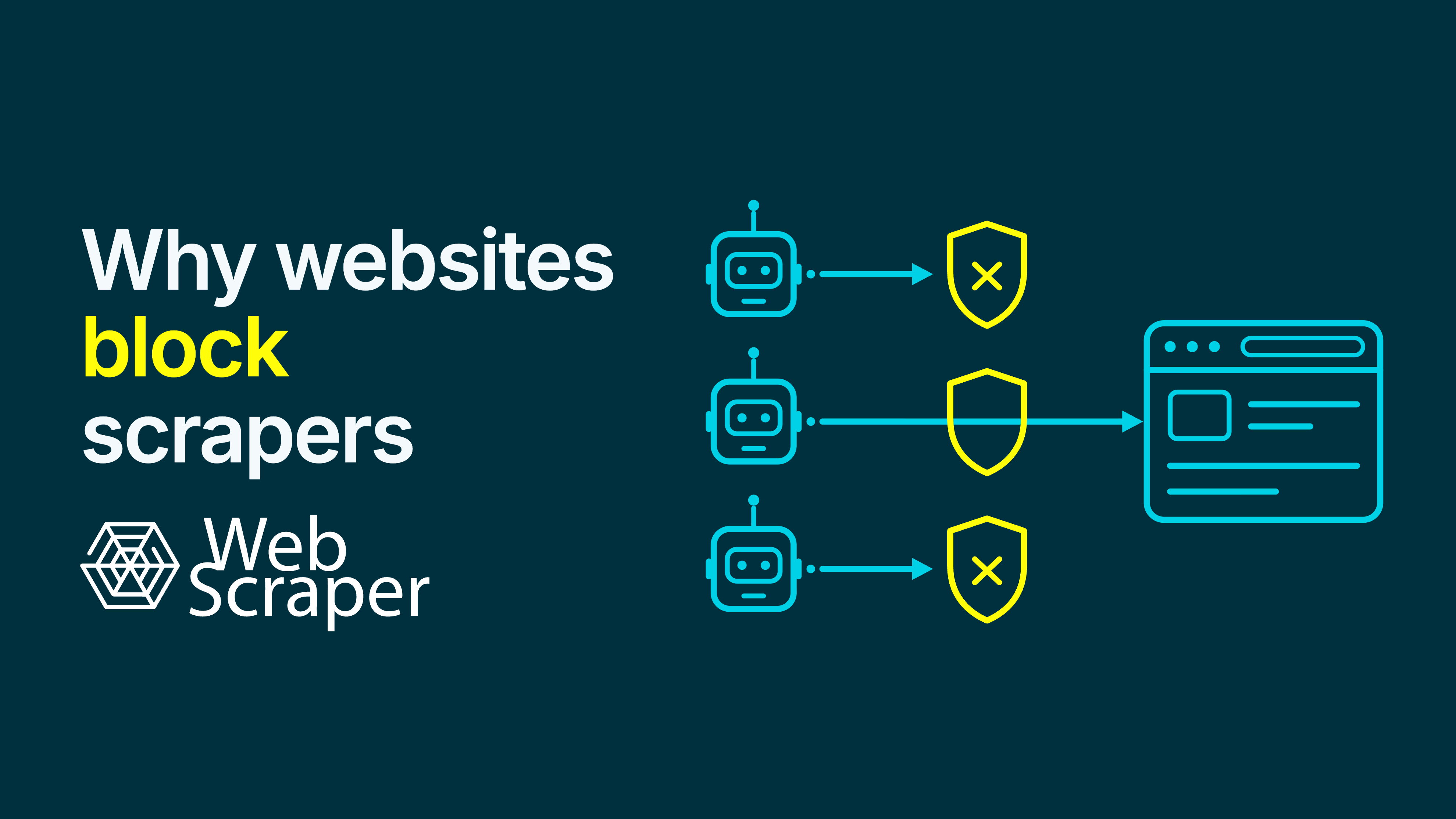
A scraper can receive the same page as a browser—until the website decides it is not the same kind of visitor. That decision is rarely based on one missing header or an obviously robotic request rate. Modern bot systems combine network reputation, HTTP and TLS characteristics, browser signals, session history, behaviour, and the page being requested.
The result is a risk decision. A site may allow a verified crawler, throttle a collector, challenge checkout, and block the same session at volume. It cannot see the project behind a request—only requests, patterns, and risk signals. A block is an outcome, not a diagnosis.
The short answer: websites block risk, not scraping as a technology
Websites block scrapers when the expected cost or risk of serving them exceeds the value or trust attached to the traffic. Three questions shape that decision:
| Dimension | What the website is effectively asking | Typical evidence or concern |
|---|---|---|
| Intent | What is this client likely trying to do? | Endpoint choice, request sequence, crawl breadth, and repeated extraction patterns |
| Impact | What happens if this continues at scale? | Origin load, cache misses, search queries, inventory reservations, or data extraction |
| Trust | Why should this client be treated as claimed? | An API key, authenticated session, verified bot identity, stable token, or known IP range |
None produces a perfect answer. Legitimate tools can look unusual, while abusive clients can look normal. Site owners combine signals and apply an endpoint-specific policy: allow, slow, rate-limit, challenge, require authentication, serve different content, charge, or refuse.
Six reasons websites block scrapers
1. To protect availability and control infrastructure cost
Every request consumes infrastructure. A cached article may be cheap; a filtered product search with live stock calculations may not be. Volume and concurrency both matter.
The 429 Too Many Requests standard leaves each server to decide how it identifies a client and counts requests. A limit might apply to an IP address, account, cookie, endpoint, or combination of signals.
A visitor opening three product pages looks ordinary. A client requesting 3,000 looks more like a workload.
2. To prevent fraud and business-logic abuse
Scraping is rarely the only automation a website manages. The same security layer may cover credential stuffing, fake accounts, inventory hoarding, card testing, spam, click fraud, and vulnerability scanning. The OWASP Automated Threats to Web Applications project treats these as distinct automated threats, including scraping.
A scraper can therefore be caught by a rule installed for another problem. Login, search, sign-up, checkout, and reservation routes often have stricter policies than public pages. A bot score estimates risk; it does not judge the scraper's purpose.
3. To protect commercially valuable data and content
For many websites, the data is the product. The business has paid to acquire, clean, rank, and present listings, reviews, prices, research, or editorial material. Extraction can support aggregation, model training, or competing services. A site may welcome search indexing while restricting systematic reuse.
The distinction is becoming more explicit. Some platforms now let publishers allow, block, or charge certain AI crawlers. Cloudflare's Pay Per Crawl beta, for example, uses 402 Payment Required as part of its implementation. That is an emerging product mechanism, not a universal scraping standard—RFC 9110 still describes 402 as reserved for future use.
4. To protect privacy and user expectations
Public accessibility does not remove privacy risk. Contact details, location data, user-generated content, or sensitive information can become a searchable, reusable dataset at scale. Duties depend on the data, purpose, legal basis, safeguards, jurisdiction, and people's reasonable expectations. A login page or robots.txt rule does not settle them; review them separately before collection.
5. To enforce access rules, licences, and content rights
A site can distinguish between public viewing, indexing, extraction, redistribution, and model training. The same URL may be involved, but the uses are different.
Terms, copyright, database rights, text-and-data-mining rules, and data protection can overlap. A block may point you towards an API, licence, feed, or direct permission, but it does not settle the legal position.
6. To preserve analytics, inventory, and service quality
Automated requests can distort page views, conversion funnels, A/B tests, search analytics, availability, and recommendations. They can also trigger paid services or query live inventory.
Imagine a retailer using product-page views to forecast demand. A monitoring job repeatedly checking 20,000 items could make several deeply uninteresting products appear to be enjoying a mysterious renaissance. Separating known automation helps, but unidentified traffic can still degrade the data used to run the service.
How websites decide that traffic is automated or risky
There is no single scraper detector. Defences can operate at the CDN, WAF, load balancer, and application. Systems classify traffic in layers; Cloudflare, for example, documents heuristic checks, JavaScript detections, and machine-learning models.
Network and identity signals
The first layer concerns where requests come from and whether the client is who it claims to be:
- source IP, network owner, geography, and request history;
- datacentre, cloud, proxy, or known-bot classifications;
- reputation observed by a protection provider;
- verification of a claimed crawler identity.
A User-Agent alone is weak evidence. Google tells site owners to verify Googlebot through IP ranges or reverse DNS. Relabelling a request does not change its client or behaviour.
HTTP and TLS characteristics
A system can compare the User-Agent with header order, HTTP behaviour, cookie continuity, and the TLS connection.
TLS fingerprints such as JA3 and JA4 summarise parts of an encrypted connection. They can identify client families or inconsistencies, but not intent. Cloudflare documents header-order detections and JA3/JA4 fingerprints as inputs.
Our article on HTTP/3 and web scraping explains why a new transport layer changes more than the version number shown in developer tools.
Browser and JavaScript signals
A browser can execute scripts that inspect APIs, settings, automation indicators, and challenge tokens. The W3C WebDriver standard, for instance, exposes navigator.webdriver under remote control. That is one signal, not a bright red scraper lamp.
Services can combine JavaScript challenges, browser interrogation, tokens, and interaction signals. A page may load while a sensitive action remains protected.
Session and behavioural patterns
Individual requests can look ordinary while the session does not. Relevant patterns include:
- request rate, concurrency, and highly regular timing;
- navigation order, previous URLs, and repeated filter combinations;
- one session touching far more pages than a typical visitor;
- coordinated activity across IP addresses or a change from the site's baseline.
Intent and behaviour are not the same. A price monitor and an inventory-hoarding bot might both request product pages methodically. The website must decide before either explains itself.
AWS documents false-positive scenarios involving mobile apps, monitoring tools, proxies, uncommon clients, and new browsers. Detection is probabilistic.
Endpoint-specific policy
Detection estimates what the traffic might be. Policy decides what to do about it.
The same score can be tolerated on an article, rate-limited on search, and challenged at checkout. The outcome can change as the session develops.
What a scraper block actually looks like
The HTTP status is a clue, not a diagnosis.
| Signal | What it may mean | What to check |
|---|---|---|
401 Unauthorized |
Credentials are missing or rejected | The WWW-Authenticate header, account state, and intended access route |
403 Forbidden |
The server refuses the request | Permissions, geography, authentication, WAF markers, and response body |
429 Too Many Requests |
A rate limit was exceeded | Retry-After, request rate, concurrency, and whether the limit is per account or IP |
503 Service Unavailable |
Temporary overload or maintenance | Retry-After, timing, affected endpoints, and whether normal browsing also fails |
| Redirect to login or consent | A session, consent, regional, or policy gate | Final URL, redirect chain, cookies, and page title |
| CAPTCHA or challenge | The site wants stronger evidence before access | Which page or action triggered it and whether an approved route exists |
200 OK with unexpected HTML |
A soft block, login shell, consent page, empty state, or application error | Expected selectors, record counts, content markers, and field population |
AWS WAF illustrates why status-only diagnosis fails: its challenge actions can return 202 Accepted for a missing or expired challenge token and 405 Method Not Allowed for an invalid CAPTCHA token. A success-class status does not guarantee the requested page arrived, just as a 403 does not prove bot detection.
Consider a scheduled product monitor that normally returns 12,000 records. After 20 minutes, the source returns a challenge page with 200 OK. The URL stays unchanged, but the title identifies a challenge. The job finishes with 2,400 records: 1,900 normal product rows and 500 beautifully consistent copies of the challenge page. In those 500 records, product_name contains "Verify you are human" and the price is empty.
The requests succeeded; the collection job did not. Record-count and field-completion thresholds catch the failure before incomplete data reaches a report.
How to diagnose why a website blocked your scraper
The useful next step is diagnosis, not immediate escalation. A failed request can also result from maintenance, overload, geolocation, authentication, browser support, shared IP reputation, or an application fault. Changing several settings at once may make one run pass, but it reveals little about whether the workflow is stable.
1. Preserve the failed response
Record the URL, time, status code, redirect chain, response headers, final page title, and relevant body content. For browser-based jobs, keep a screenshot and note whether JavaScript finished executing.
Preserve the request context too: location and network route; authentication, cookies, and session state; driver or rendering mode; request interval, concurrency, and pages already loaded. Without this evidence, "it was blocked" tends to become a folk tale after the third retry.
2. Classify the failure layer
Ask three separate questions:
- Transport: Did the expected server respond, and with what HTTP status?
- Content: Is the response the requested page, a challenge, a consent screen, a login page, or a regional variation?
- Data: Did the expected entities and fields appear in plausible numbers and values?
A rendered browser succeeding where raw HTML fails suggests client-side rendering rather than blocking. Local success and remote failure may instead point to location, network reputation, or session differences.
3. Compare a controlled baseline
Open a representative failed URL in a normal browser under comparable conditions. Compare the final URL, title, content, cookies, and location-dependent output. Use the same template that failed, not merely the homepage.
4. Change one variable at a time
Useful comparisons include:
- low versus production request rate and concurrency;
- raw HTML versus a rendered browser;
- one appropriate network location versus another;
- a new session versus a persistent session;
- an early page versus one reached after sustained traffic.
If rendering mode, proxy, pacing, and cookies all change together, a successful run identifies a combination, not a cause.
5. Inspect the distribution of failures
Map failures by time, status, path, template, and location. Patterns are more informative than totals. In the product example above, the time boundary points to a traffic or session threshold, while the challenge text distinguishes blocking from a selector change. If only one field disappears while record counts remain stable, extraction logic or page variation is the stronger hypothesis.
6. Validate the dataset after access recovers
Do not treat one successful retry as resolution. Check record counts, required-field fill rates, duplicates, value ranges, and a sample of records against the source.
A defensive response can be intermittent or selective. Recovery is complete only when the resulting dataset meets its quality thresholds.
Observation and next-action matrix
| Observation | Most useful next action |
|---|---|
Explicit 429 and Retry-After |
Pause for the requested period, reduce rate and concurrency, then retest |
| Failures begin after sustained traffic | Reduce request intensity, review total traffic across jobs, and add backoff |
| Local browser works but remote execution fails | Compare location, session, IP reputation, rendering, and cookies |
| Rendered browser works but raw HTML is empty | Treat JavaScript rendering as the first hypothesis, not bot blocking |
Status is 200 OK but records collapse |
Fingerprint the returned content and add challenge or consent-page detection |
| Only authenticated or transactional paths fail | Reassess permission, session handling, and whether the workflow is suitable for automation |
| Different locations return different records | Treat location as part of the data definition and preserve it with each observation |
| Every configuration reaches a persistent access control | Stop and evaluate an official API, licensed source, or permission from the operator |
These comparisons will not reveal every internal rule, but they separate temporary service conditions from persistent access policy. They also reduce the chance of responding to an overloaded server with more load, which is a rather committed form of misunderstanding.
How to reduce avoidable blocking responsibly
Reduce unnecessary load and operate the collector safely rather than beginning an arms race with every control the website deploys.
Collect less, and collect deliberately
Define the required entities and fields first. Avoid irrelevant pages, cache stable values, deduplicate URLs, and use incremental collection. If a description changes monthly but its price changes hourly, those fields do not need the same schedule.
Pace requests and apply backoff
Set conservative intervals and concurrency. Honour Retry-After, use bounded retries with increasing delays, and define a stop condition. Retrying indefinitely at full speed is a fine way to confirm the website's original concern.
Use the simplest access method that returns the required page
If the initial HTML contains the required data, browser rendering may add cost and application traffic without improving the result. If JavaScript, scrolling, or interaction is required, a browser-based workflow may be necessary.
Choose from page behaviour and data requirements, then validate representative URLs. A raw request is not always more reliable, and a full browser does not automatically look like a person.
Treat proxies as infrastructure, not permission
Proxies can provide geographic access and improve consistency where an IP has poor reputation. They do not change terms, reduce load, or establish permission. If rotation sustains the same excessive pattern, fix scope, pacing, and retries first.
Build explicit failure and quality controls
Detect known challenge pages, unexpected redirects, and implausible content before records reach downstream systems. Set thresholds for failed pages, empty pages, record counts, and important-field fill rates. This turns blocking from a surprise into an observable operating condition.
Diagnosing access with Web Scraper
The Web Scraper browser extension builds and tests a sitemap locally, providing a baseline for rendering, navigation, and field extraction.
For recurring or larger workflows, Web Scraper Cloud runs the sitemap remotely and lets you configure the Full or Fast driver, proxy, request interval, and page-load delay. Its scheduler supports repeatable runs. Cloud automatically retries failed and empty pages, reports failed, empty, and no-value pages, and provides screenshots for Full-driver troubleshooting. These signals help you distinguish access failure from rendering or selector failure.
Cloud proxy management, rotation, and anti-bot handling can improve access consistency on many public websites, but no configuration guarantees compatibility. Test difficult page types, intended locations, and realistic volume. These controls do not replace permission, rate limits, or data-quality checks.
Once the workflow runs, configure data-quality controls for minimum record count, maximum failed and empty page percentages, and minimum field completion. Automatic access recovery is useful. Detecting that the recovered pages contain the wrong dataset is better.
Why robots.txt is not an access-control system
robots.txt communicates crawling preferences to clients that choose to follow the Robots Exclusion Protocol. It is important, but it is not a lock.
RFC 9309, which standardises the protocol, is explicit that its rules are not a form of access authorisation. Authentication, rate limiting, WAFs, and bot-management systems provide technical enforcement.
The distinction matters in both directions:
- A
Disallowrule expresses a preference but does not prevent access. - No rule means neither blanket permission nor privacy consent.
- A listed path is not secret; anyone can retrieve the file.
crawl-delayis non-standard and is not supported by Google's crawlers.
Also check crawler policies, terms, APIs, feeds, authentication requirements, and direct agreements; they answer different access questions.
Legal and ethical considerations
This article explains technical behaviour, not legal advice. Blocking does not prove that collection is unlawful; access does not prove that collection and reuse are permitted.
Review terms, robots.txt, technical controls, and official API or licensing routes. Consider the data, purpose, scale, privacy, copyright, database rights, and jurisdictions. Blanket claims that public data is always legal to scrape—or that terms make every scrape illegal—are unreliable.
Personal data requires particular care. The EDPB's Guidelines 03/2026 on web scraping in the context of generative AI, adopted for public consultation, discuss data minimisation and reasonable expectations. France's CNIL advises organisations developing AI systems to consider sites' technical and legal objections. Its separate guidance on web scraping and legitimate interests discusses safeguards, transparency, and respect for technical or legal opposition.
For personal data, restricted access, substantial copying, authentication, or redistribution, obtain qualified legal review before production. Persistent controls are reason to seek a supported source or permission. For a broader introduction, see Scraping public data: is it legal?.
Frequently asked questions
Can a website tell that I am scraping it?
A website can estimate automation from network, browser, session, and behavioural signals. The decision is probabilistic, so legitimate tools can be false positives. The site then applies its policy.
What is the difference between 403 and 429 in web scraping?
403 Forbidden is a refusal that can reflect permissions, geography, account state, reputation, or bot mitigation. 429 Too Many Requests indicates a rate limit and may include Retry-After. Neither reveals the complete rule.
Does robots.txt block a scraper?
No. robots.txt communicates preferences to crawlers that follow the protocol; it is not access authorisation or a substitute for security. The absence of a restriction does not mean blanket permission, contractual approval, or privacy consent.
Why can I open a page in my browser but not scrape it?
Your browser may execute JavaScript, maintain cookies and tokens, present a consistent client profile, and follow an expected session path. A basic HTTP client may not. Compare the returned content, rendering, authentication, location, and session context before assuming bot detection.
Can a scraper receive 200 OK and still be blocked?
Yes. A server can return a login shell, consent page, challenge, empty state, or alternate content with 200 OK. Validate the final URL, expected page markers, required fields, record counts, and content type before treating the response as a completed scrape.
Do proxies prevent scraper blocking?
No. Proxies can improve network and geographic access consistency, but they do not guarantee access. They also do not reduce the collector's load, establish permission, or fix an incorrect session or rendering workflow.
Will slowing down stop a website from blocking my scraper?
It often helps when request volume or concurrency is the trigger, particularly after a 429 response. It will not resolve missing authentication, unsupported browser behaviour, restricted content, or a policy that disallows the collection.
Why does my scraper work initially and then fail?
The website may apply thresholds over time. Request rate, concurrency, session age, page count, or network reputation can trigger stricter controls after a successful start. Map failures against time and volume before changing the scraper.
Final takeaway
Websites block scrapers to protect capacity, reduce fraud, preserve data value, meet privacy obligations, enforce access rules, and keep their own metrics usable.
Because a website cannot see your project brief, it judges observable traffic. Reliable scraping starts with an authorised route, a low-impact design, and validated data—not the assumption that every failure is a puzzle to outwit.
For a new workflow, start with our complete web scraping guide.
If appropriate, use Web Scraper Cloud to inspect real jobs, failures, rendering, access consistency, and data quality before scaling.